
Tool profile
Photopea
Online photo editor, which can work with PSD, XCF and Sketch files (Photoshop, Gimp and Sketch App).
What is Photopea?
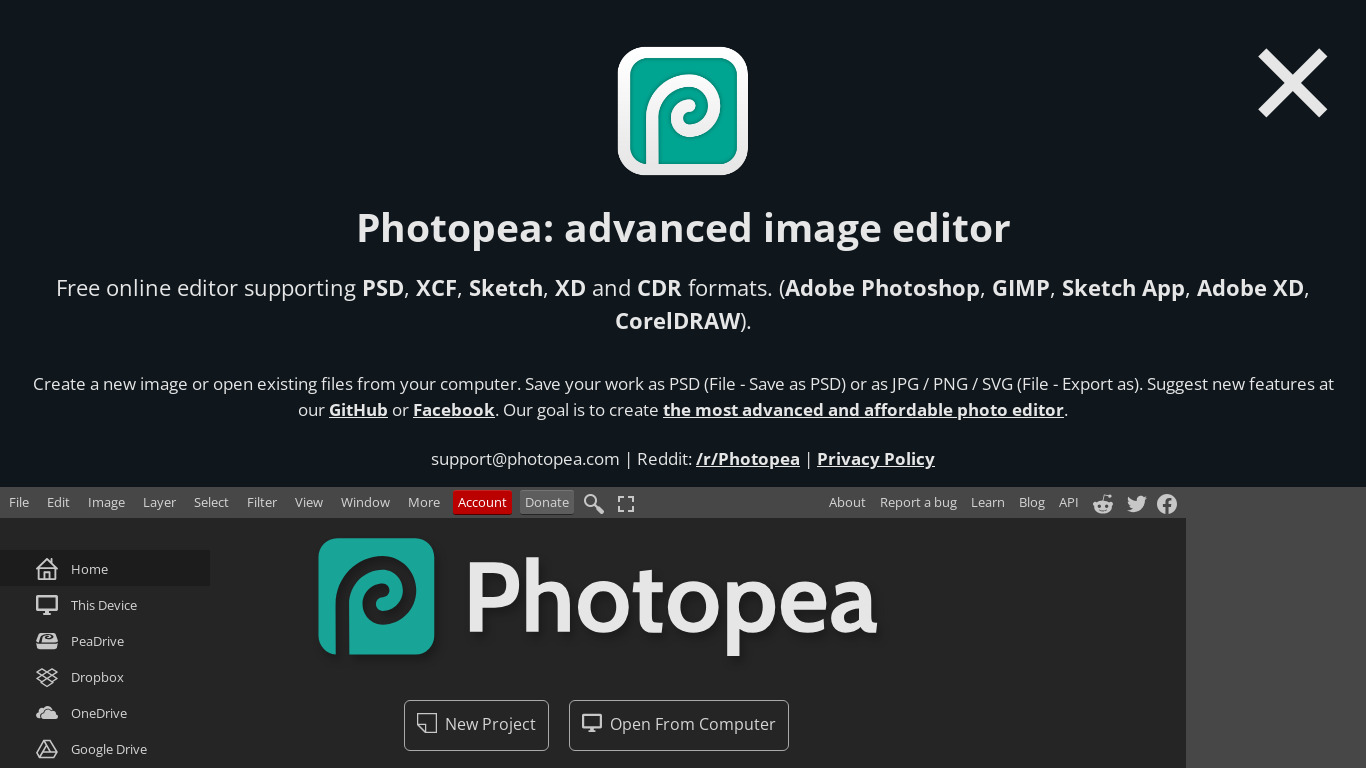
Photopea is a web-based image editing application that is suitable for both beginners and advanced users. It stands out for its compatibility with a wide range of file formats, including PSD, XCF, Sketch, and XD, allowing for seamless workflow integration with other graphic design tools. The user interface is intuitive and similar to Adobe Photoshop, which helps reduce the learning curve for users already familiar with Photoshop.
While the software is free to use, there is also an option for a premium subscription. Because it is a web-based application, it is accessible from any device with an internet connection without requiring any installation.
Features
Accessibility
Photopea is a web-based application, making it accessible from any device with an internet connection without the need for installation.
Cost
It is free to use with an option for a premium subscription, making it an affordable alternative to expensive software like Adobe Photoshop.
Compatibility
Supports a wide range of file formats, including PSD, XCF, Sketch, XD, and more, allowing for seamless workflow integration with other graphic design tools.
Feature Set
Offers many advanced features and tools that are similar to those found in professional software, making it suitable for both beginners and advanced users.
User Interface
Intuitive and similar to Adobe Photoshop, which can reduce the learning curve for users familiar with Photoshop.
Screenshots
Photopea vs. its alternatives
| Photopea |  Canva Canva |  Adobe Photoshop Adobe Photoshop |  GIMP GIMP |  Affinity Photo Affinity Photo | |
|---|---|---|---|---|---|
| Pricing | Open source | $12.99/mo | — | Open source | — |
| Platforms | — | — | — | ||
| Listed features | 5 | 9 | 5 | 4 | 6 |
Frequently asked questions
Is Photopea free to use?
Yes, Photopea is free to use with an option for a premium subscription.
What is Photopea used for?
Photopea is used as an online photo editor that can work with PSD, XCF, and Sketch files.
What platforms is Photopea available on?
Photopea is a web-based application accessible from any device with an internet connection.
What file formats does Photopea compatibility include?
Photopea supports a wide range of file formats, including PSD, XCF, Sketch, and XD.
Does Photopea have a user interface similar to other software?
Yes, the user interface is intuitive and similar to Adobe Photoshop, which reduces the learning curve for users familiar with Photoshop.
What are the best alternatives to Photopea?
Known alternatives include Adobe Photoshop, GIMP, and Canva. Users might prefer Adobe Photoshop for expensive professional software, or Canva for different design workflows.
Alternatives to Photopea
Read the full comparison →Adobe Photoshop
Adobe Photoshop is a webtop application for editing images and photos online.
GIMP
GIMP is a multiplatform photo manipulation tool.
Affinity Photo
Affinity is the imaging and design suite for creative professionals exclusively for Mac.




Darktable
darktable is an open source photography workflow application and raw developer.