Tool profile
Canva
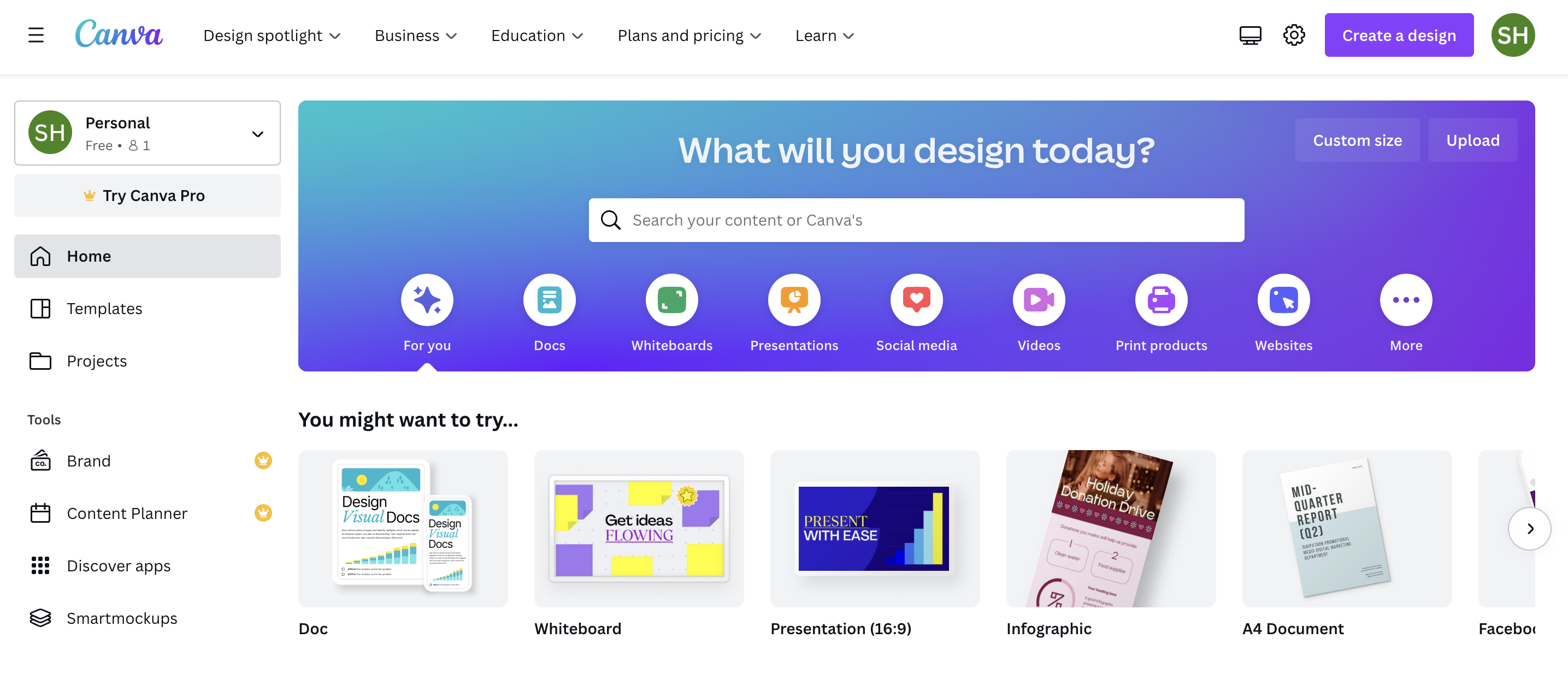
Canva is a graphic-design platform with a drag-and-drop interface to create print or visual content while providing templates, images, and fonts. Canva makes graphic design more straightforward and accessible regardless of skill level.
Categories
Pricing
What is Canva?
Canva is a graphic-design platform featuring a drag-and-drop interface with templates, images, and fonts designed to make visual content creation straightforward regardless of skill level. It offers a broad set of tools within the Design Tools category, including Document Creation with writing AI, Custom Prints with over 30 products to pick from, and Presentations featuring magic shortcuts, animations, and recording. Users can also build Websites with performance tracking, edit videos using a one-click video background remover and animations, create Social Media Content with resizing options and a content planner, and use Whiteboards for flowcharts, planning, and brainstorming.
The platform includes file conversion tools like a HEIC to JPG converter and a PDF to JPG converter to easily share images on any platform or device. Pricing is listed at $12.99 / Monthly for the Pro tier, and the platform utilizes a freemium model with a free trial available. However, specific platform availability is not listed in the provided details, so check their official site for compatibility information.
Features
Document Creation
Writing AI
Custom Prints
Over 30 products to pick from
Presentations
magic shortcuts, animations, recording
Websites
Performance Tracking
Video Editor
One-click video background remover, animations
Social Media Content Creation
Resizing options, content planner
Whiteboards
Flowcharts, planning, and brainstorming
HEIC to JPG Converter
Convert HEIC to JPG to easily share images on any platform or device using Canva's HEIC to JPG converter
PDF to JPG Converter
Convert PDF to JPG to easily share images on any platform or device using Canva's PDF to JPG Converter
Screenshots
Canva vs. its alternatives
| Canva |  Piktochart Piktochart |  Adobe Photoshop Adobe Photoshop |  GIMP GIMP |  Figma Figma | |
|---|---|---|---|---|---|
| Pricing | $12.99/mo | $14/mo | — | Open source | — |
| Platforms | — | — | |||
| Listed features | 9 | 1 | 5 | 4 | 6 |
Frequently asked questions
How much does Canva cost?
Canva Pro is priced at $12.99 per month. The pricing structure also includes freemium options and a free trial.
What is Canva used for?
Canva is a graphic-design platform with a drag-and-drop interface used to create print or visual content using provided templates, images, and fonts.
Can I edit videos in Canva?
Yes, Canva features a video editor that includes a one-click video background remover and animations.
Does Canva include document creation tools?
Yes, Canva features Document Creation which includes writing AI.
What platforms is Canva available on?
Platform availability is not specified in the current product facts.
What are the best alternatives to Canva?
Known alternatives to Canva include Piktochart, Adobe Photoshop, GIMP, Figma, and Fotor. You might prefer these depending on your specific design needs and software preferences.
Alternatives to Canva
Read the full comparison →Piktochart
Piktochart for Business Storytelling
Adobe Photoshop
Adobe Photoshop is a webtop application for editing images and photos online.
GIMP
GIMP is a multiplatform photo manipulation tool.


PicMonkey
PicMonkey is a feature-rich online photo editor that works right in your browser; no downloads...