Tool profile
Fotor
Fotor is an all in one visual platform. It includes photo editor, collage maker, and graphic designer. You are free to make a visual look more beautiful.
What is Fotor?
Fotor is an all-in-one visual platform in the Design Tools category that includes a photo editor, collage maker, and graphic designer. It is well-suited for beginners and non-designers due to its user-friendly interface. Users get online access directly in their web browsers without needing to download software. Key capabilities include a variety of tools like basic adjustments, filters, effects, HDR, and retouching, alongside template collections for social media posts and graphics. It also supports batch processing for applying effects and adjustments to multiple images at once.
The facts note that a free version is available with a significant number of features, but exact pricing details are not provided beyond a link to their pricing source URL. Readers should check their pricing page for current plans. Platform availability is not specified in the verified details.
Features
User-Friendly Interface
Fotor features an intuitive and easy-to-navigate interface, making it accessible for beginners and non-designers.
Variety of Tools
It offers a wide range of editing tools, including basic adjustments, filters, effects, and advanced features like HDR and retouching.
Template Collections
Fotor provides numerous templates for social media posts, graphics, and other creative projects, which can save time and effort.
Online Access
Being a web-based application, Fotor allows users to edit photos directly in their web browsers without needing to download software.
Free Version Available
Fotor offers a free version with a significant number of features, enabling users to start editing without any upfront cost.
Batch Processing
It supports batch processing, allowing users to apply effects and adjustments to multiple images at once, which can save time on large tasks.
Screenshots
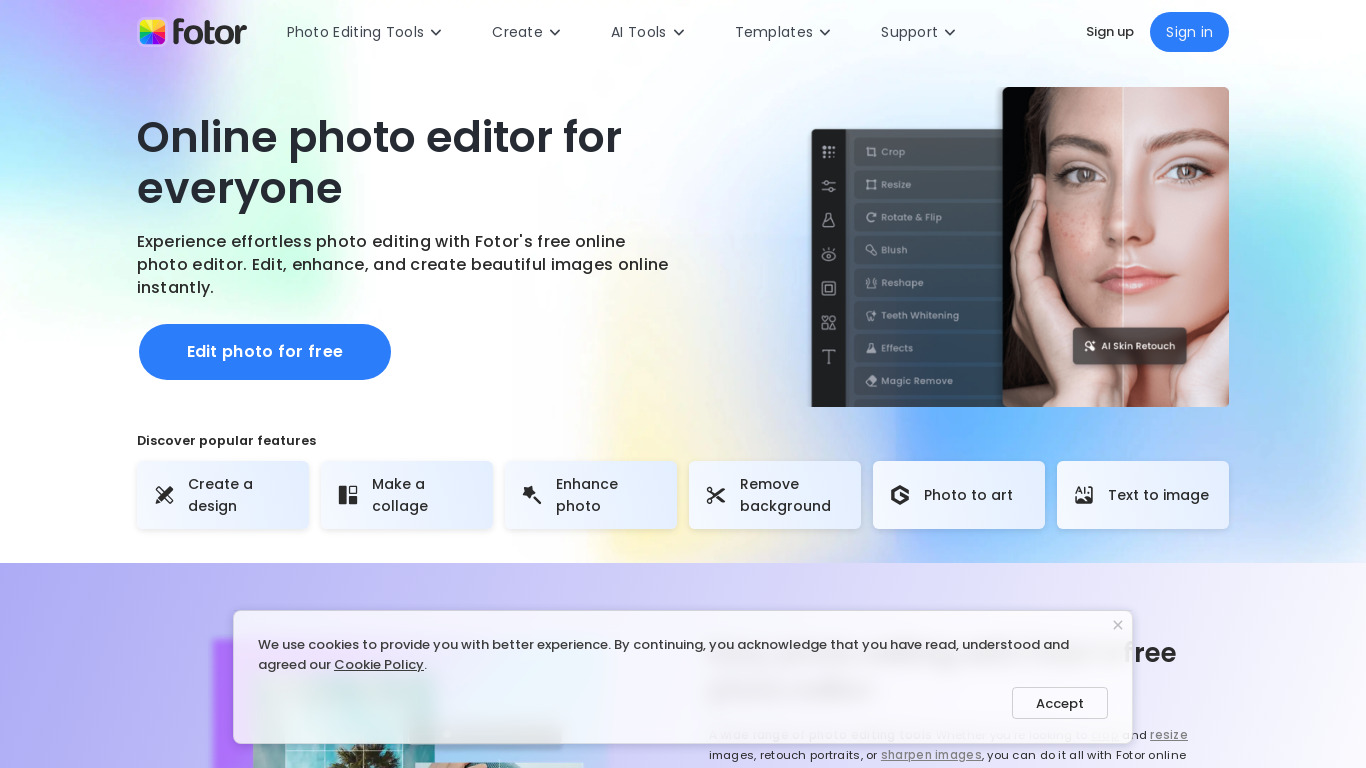
Fotor vs. its alternatives
| Fotor |  Canva Canva |  Adobe Photoshop Adobe Photoshop |  GIMP GIMP |  Pixelmator Pixelmator | |
|---|---|---|---|---|---|
| Pricing | — | $12.99/mo | — | Open source | — |
| Platforms | — | — | — | ||
| Listed features | 6 | 9 | 5 | 4 | 5 |
Frequently asked questions
Is Fotor free?
Yes, Fotor offers a free version with a significant number of features, enabling users to start editing without any upfront cost.
How much does Fotor cost?
Exact pricing details are not listed in the provided facts; check their pricing page for current plans.
What is Fotor used for?
Fotor is used as an all-in-one visual platform that includes a photo editor, collage maker, and graphic designer.
What platforms is Fotor available on?
Fotor is a web-based application that allows users to edit photos directly in their web browsers, though specific operating system platform support is not listed.
How does Batch Processing work in Fotor?
Batch processing supports applying effects and adjustments to multiple images at once, which can save time on large tasks.
What are the best alternatives to Fotor?
Known alternatives include Canva, Adobe Photoshop, GIMP, Pixelmator, and Pixlr. Users might prefer Adobe Photoshop or GIMP for advanced editing workflows compared to Fotor's browser-based setup.
Alternatives to Fotor
Read the full comparison →Adobe Photoshop
Adobe Photoshop is a webtop application for editing images and photos online.
GIMP
GIMP is a multiplatform photo manipulation tool.

Photoscape
high quality photo editing software, that enables you to fix and enhance photos.
Polarr
MacOS, Windows, iOS, Android and online photo editing tools & free photo editors.