
Tool profile
Corel AfterShot Pro
Say hello to Corel AfterShot Pro 3, the world’s fastest photo workflow tool! Edit your photos up to 4x faster than Lightroom so you can spend more time behind the camera. Download a free 30-day trial today!
Categories
Pricing
What is Corel AfterShot Pro?
Corel AfterShot Pro is suited for photographers looking for an image editing tool with comprehensive file support for RAW formats from various camera manufacturers. It stands out with speed and performance optimized for processing large image files swiftly, batch processing capabilities for applying adjustments to multiple images at once, and non-destructive editing that preserves original files.
Because exact pricing is not listed in the available facts, you will need to check their pricing page for current plans, though the software is described as a cost-effective alternative to other high-end editing tools. Additionally, it offers multi-platform compatibility for Windows, Mac, and Linux users.
Features
Non-destructive Editing
Allows users to make adjustments to images without altering the original file, ensuring that the original data is always preserved.
Speed and Performance
Optimized for fast processing, which allows users to handle large image files and process multiple images more swiftly compared to some competitors.
Comprehensive File Support
Supports a wide variety of RAW file formats from different camera manufacturers, providing flexibility to photographers using diverse equipment.
Multi-platform Compatibility
Available for Windows, Mac, and Linux, offering cross-platform support and convenience for users working on different operating systems.
Batch Processing
Enables users to apply adjustments to multiple images at once, speeding up the workflow especially in cases where edits are needed for large image sets.
Affordable
Offers a cost-effective alternative to other high-end photo editing software, providing advanced features at a more accessible price point.
Screenshots
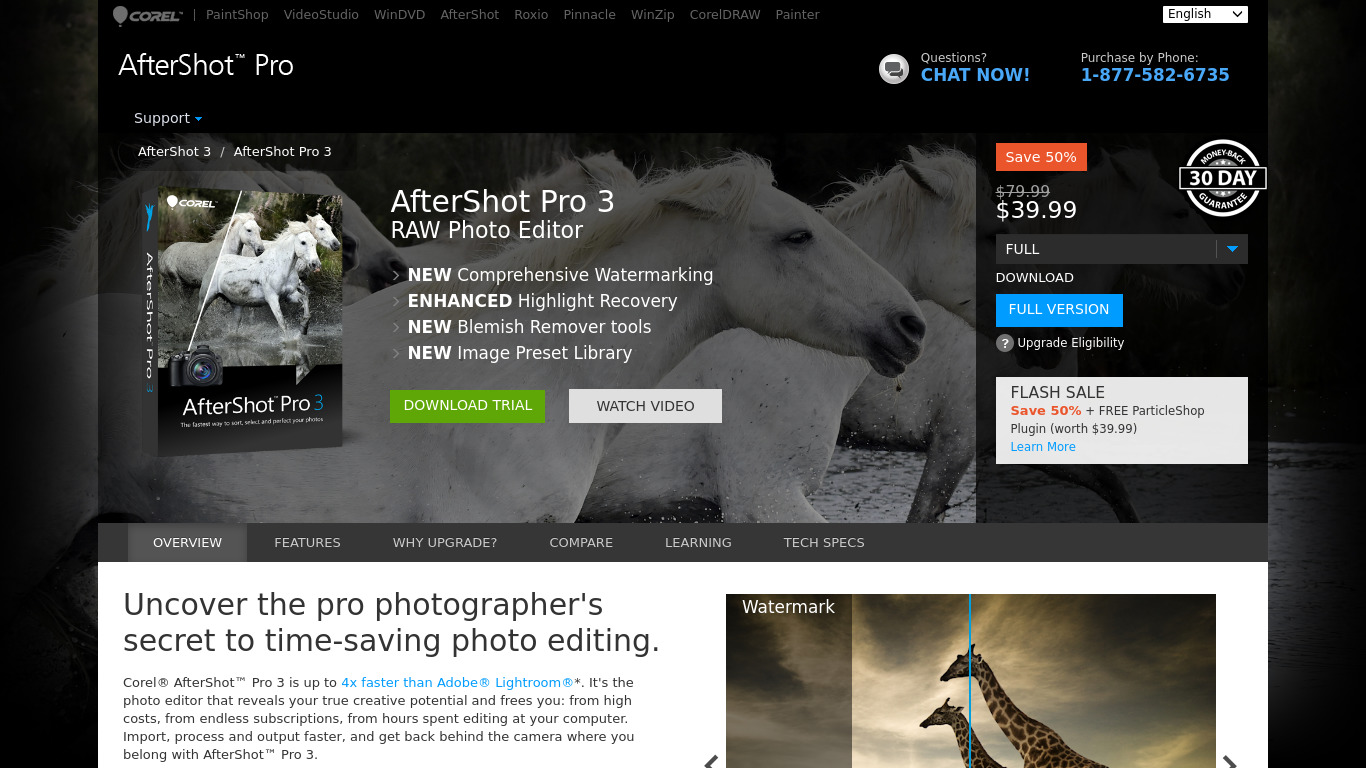
Corel AfterShot Pro vs. its alternatives
| Corel AfterShot Pro |  Adobe Photoshop Adobe Photoshop |  GIMP GIMP |  Pixelmator Pixelmator |  Photoscape Photoscape | |
|---|---|---|---|---|---|
| Pricing | — | — | Open source | — | — |
| Platforms | — | — | — | — | |
| Listed features | 6 | 5 | 4 | 5 | 5 |
Frequently asked questions
How much does Corel AfterShot Pro cost?
Exact pricing details are not listed in the facts, so check their pricing page for current plans. However, the software is noted as a cost-effective alternative providing advanced features at a more accessible price point.
Is there a free trial available for Corel AfterShot Pro?
Yes, you can download a free 30-day trial to test out the software.
What is Corel AfterShot Pro used for?
It is used as a photo workflow tool for image editing, featuring non-destructive adjustments, RAW file support, and batch processing.
Which operating systems are compatible with Corel AfterShot Pro?
It offers multi-platform compatibility and is available for Windows, Mac, and Linux.
Does Corel AfterShot Pro support non-destructive editing?
Yes, the Non-destructive Editing feature allows you to make adjustments without altering or losing the original image file data.
What are the best alternatives to Corel AfterShot Pro?
Known alternatives include Adobe Photoshop, GIMP, and Pixelmator. You might prefer these depending on your specific editing needs, platform preferences, and budget.
Alternatives to Corel AfterShot Pro
Read the full comparison →Adobe Photoshop
Adobe Photoshop is a webtop application for editing images and photos online.
GIMP
GIMP is a multiplatform photo manipulation tool.
Photoscape
high quality photo editing software, that enables you to fix and enhance photos.


Polarr
MacOS, Windows, iOS, Android and online photo editing tools & free photo editors.

JPEGView
JPEGView is a small and fast viewer/editor for JPEG, BMP, PNG, GIF and TIFF images.

XnView MP
XnView is a free software that allows you to view, resize and edit your images. It supports more than 500 different formats!