Tool profile
Darktable
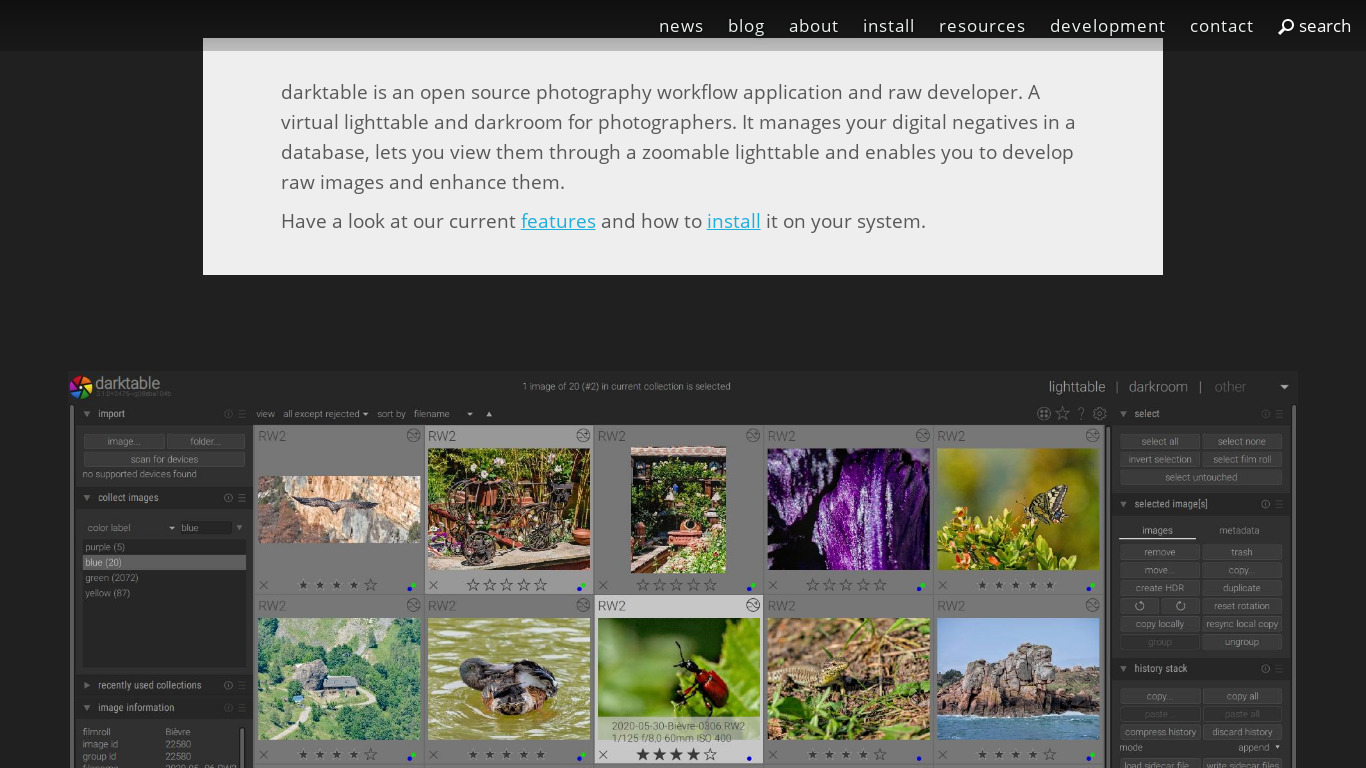
darktable is an open source photography workflow application and raw developer.
What is Darktable?
Darktable is an open-source photography workflow application and raw developer tailored for users seeking community-driven projects and free software. It stands out with non-destructive editing that stores all edits in a separate file so original image files are never altered, alongside comprehensive RAW processing for numerous camera manufacturers.
The software provides an extensive toolset for color correction and retouching, complete with cross-platform support for Linux, macOS, and Windows. Users also benefit from an active community contributing tutorials, forums, and plugins.
Features
Open Source
Darktable is open-source software, meaning it's free to use and its source code is available for users to modify and improve. This can appeal to those who prefer community-driven projects.
Non-Destructive Editing
The software ensures that the original image files are never altered. All edits are stored in a separate file, allowing users to revert to the original image at any time.
RAW Processing
Darktable supports a wide range of RAW file formats from numerous camera manufacturers, offering high-quality RAW image editing capabilities.
Extensive Toolset
Darktable offers a comprehensive set of tools for color correction, retouching, and other adjustments, comparable to other professional photo editing software.
Cross-Platform Support
Available for Linux, macOS, and Windows, Darktable allows users to work on their preferred operating system without compatibility issues.
Active Community
Darktable has an active community of users and developers who regularly contribute to forums, create tutorials, and develop plugins, providing robust support.
Screenshots
Darktable vs. its alternatives
| Darktable |  Adobe Photoshop Adobe Photoshop |  GIMP GIMP |  Affinity Photo Affinity Photo |  Pixelmator Pixelmator | |
|---|---|---|---|---|---|
| Pricing | Open source | — | Open source | — | — |
| Platforms | — | — | — | ||
| Listed features | 6 | 5 | 4 | 6 | 5 |
Frequently asked questions
Is Darktable free?
Yes, Darktable is open-source software and is free to use.
What is Darktable used for?
Darktable is used as a photography workflow application and raw developer for Image Editing.
What platforms is Darktable available on?
Darktable offers cross-platform support and is available for Linux, macOS, and Windows, though the platform list also notes Web.
How does Darktable handle Non-Destructive Editing?
Darktable ensures original image files are never altered by storing all edits in a separate file, allowing you to revert to the original image at any time.
What camera formats are supported for RAW Processing?
Darktable supports a wide range of RAW file formats from numerous camera manufacturers for high-quality RAW image editing.
What are the best alternatives to Darktable?
Some known alternatives include Adobe Photoshop, GIMP, and Affinity Photo. You might prefer these depending on your specific professional requirements or preferred software ecosystem.
Alternatives to Darktable
Read the full comparison →Adobe Photoshop
Adobe Photoshop is a webtop application for editing images and photos online.
GIMP
GIMP is a multiplatform photo manipulation tool.
Affinity Photo
Affinity is the imaging and design suite for creative professionals exclusively for Mac.

Photopea
Online photo editor, which can work with PSD, XCF and Sketch files (Photoshop, Gimp and Sketch App).