
Tool profile
Dynalist
Dynalist is a web app that lets you break down and organize your thoughts in the format of lists.
What is Dynalist?
Dynalist is a web app designed to help users break down and organize their thoughts using lists, making it a strong fit for project management and team planning. It stands out with features like hierarchical document structures for nesting items, real-time collaboration, and Markdown support for rich formatting. Users also benefit from an intuitive interface, advanced search and filtering, offline mode support, and integrations with tools such as Google Calendar, Google Drive, and Zapier.
Specific pricing details are not listed in the facts, so check their pricing page for current plans. Additionally, users looking for native support on specific platforms should verify compatibility, though Dynalist itself is available on web, desktop, and mobile platforms.
Features
User-Friendly Interface
Dynalist features an intuitive and clean interface, making it easy for users to organize and navigate their outlines without a steep learning curve.
Flexible Organization
The app supports hierarchical document structures, allowing users to nest items and create detailed lists, outlines, and notes with ease.
Cross-Platform Availability
Dynalist is available on various platforms, including web, desktop (Windows, macOS, Linux), and mobile (iOS, Android), providing seamless access across devices.
Real-Time Collaboration
Users can collaborate in real-time with other users, making it useful for team projects and shared planning.
Rich Formatting Options
Support for Markdown and other formatting options enables users to add emphasis and structure to their notes, enhancing readability.
Powerful Search and Filter
Advanced search and filtering capabilities allow users to quickly find specific items within their documents, improving productivity.
Integration with Other Tools
Dynalist offers integrations with tools like Google Calendar, Google Drive, and Zapier, enhancing its functionality within various workflows.
Offline Mode
The app supports offline access, allowing users to work on their notes without an internet connection and sync changes when they are back online.
Screenshots
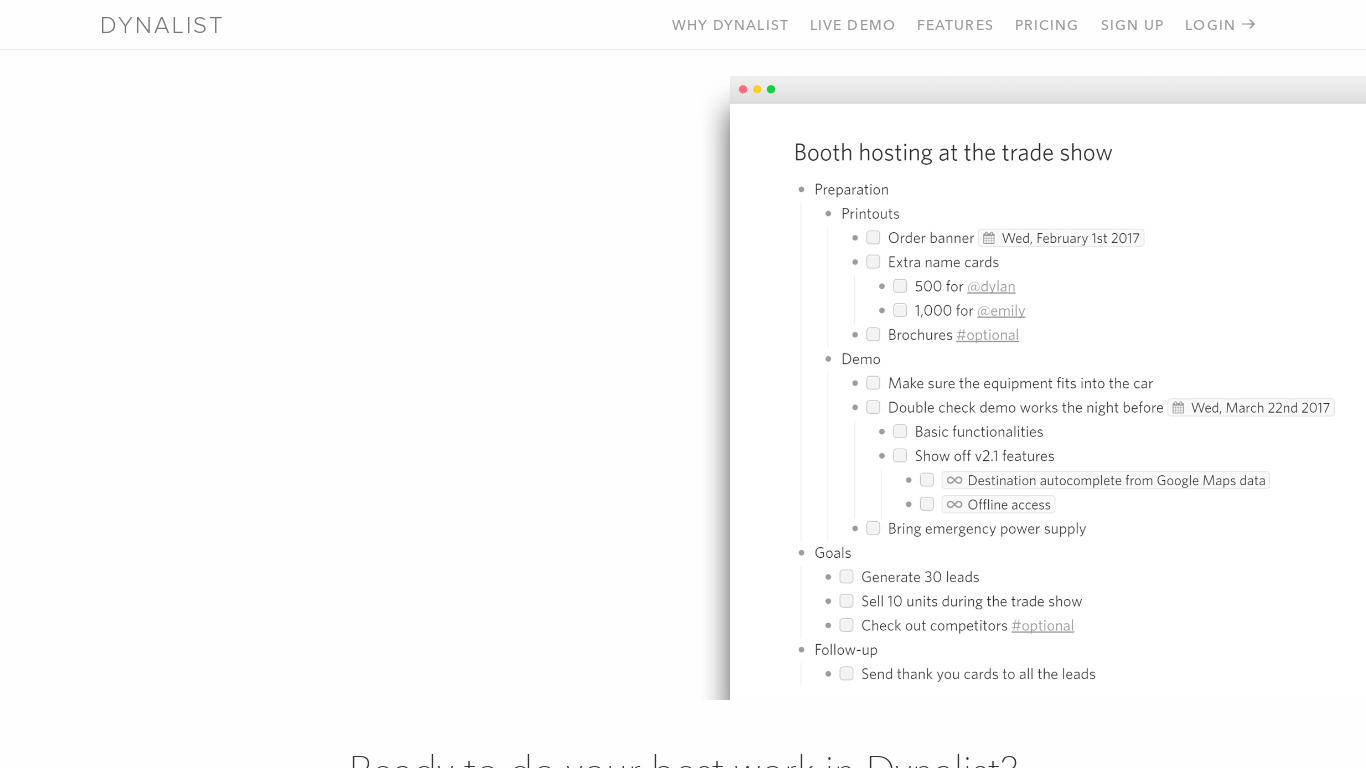
Dynalist vs. its alternatives
Frequently asked questions
How much does Dynalist cost?
Exact pricing details are not listed in the facts, so you should check their pricing page for current plans.
What is Dynalist used for?
Dynalist is a web app used to break down and organize thoughts in the format of lists, supporting hierarchical document structures for detailed outlines and team projects.
What platforms is Dynalist available on?
Dynalist is available on the web, desktop platforms including Windows, macOS, and Linux, and mobile devices on iOS and Android.
Does Dynalist support offline access?
Yes, Dynalist features an offline mode that allows you to work on your notes without an internet connection and automatically sync changes once you are back online.
What tools does Dynalist integrate with?
Dynalist offers integrations with Google Calendar, Google Drive, and Zapier to enhance its functionality within your workflows.
What are the best alternatives to Dynalist?
Some known alternatives to Dynalist include Trello, Workflowy, OneNote, Evernote, and Zenkit. You might prefer these tools depending on your specific project management and note-taking workflow requirements.
Alternatives to Dynalist
Read the full comparison →
Trello
Infinitely flexible. Incredibly easy to use. Great mobile apps. It's free. Trello keeps track of everything, from the big picture to the minute details.

Workflowy
A better way to organize your mind.

OneNote
Get the OneNote app for free on your tablet, phone, and computer, so you can capture your ideas and to-do lists in one place wherever you are. Or try OneNote with Office for free.

Evernote
Bring your life's work together in one digital workspace. Evernote is the place to collect inspirational ideas, write meaningful words, and move your important projects forward.

Zenkit
Zenkit is the home you always wanted for your ideas, your projects, your business.

Todoist
Todoist is a to-do list that helps you get organized, at work and in life.