Tool profile
UltraVNC
VNC remote access software, support server and viewer software for on demand remote computer support. Remote desktop support software for remote PC control. Free
What is UltraVNC?
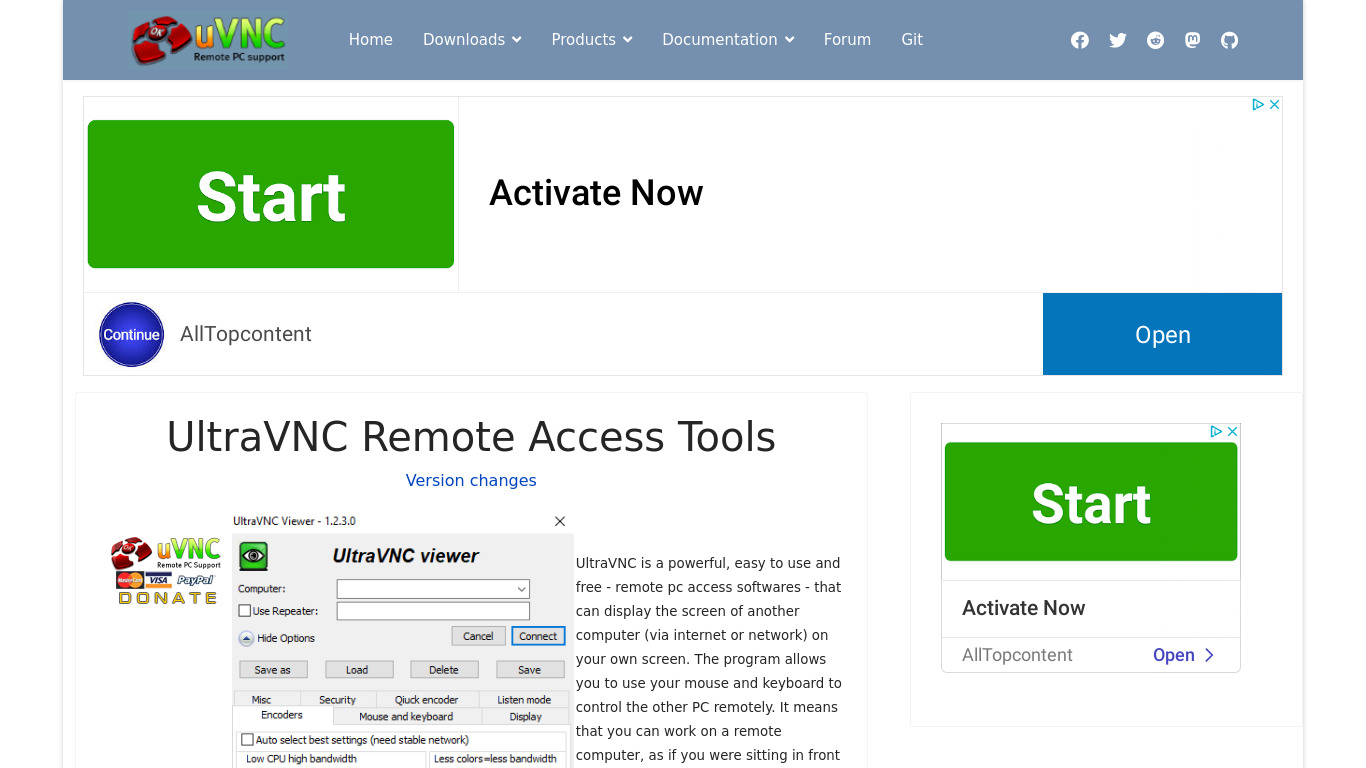
UltraVNC is built for users who need open-source remote access software for on-demand remote computer support and PC control. It stands out by being free to use and modify with no licensing costs, featuring built-in chat functionality, file transfer capabilities, and data stream encryption through the DSM plugin. It is compatible with multiple versions of Windows operating systems for both server and client, and includes viewer customization that integrates with Windows Explorer.
While it provides robust remote control and IT support tools, buyers should note that its platform compatibility is specifically listed as Web. If you require alternative tools for your workflow, known options include join.me, TeamViewer, AnyDesk, Remmina, and TightVNC.
Features
Open Source
UltraVNC is an open-source software, making it free to use and modify, granting flexibility and no licensing costs.
Remote Access
It allows users to remotely control another computer, which is useful for IT support, administration, and remote work.
File Transfer
UltraVNC includes a file transfer feature that allows users to transfer files between the local and remote machines easily.
Encryption
Supports data stream encryption through the DSM (Data Stream Modification) plugin, enhancing the security of remote sessions.
Chat Functionality
Built-in chat allows support personnel and users to communicate textually in real time during remote sessions.
Compatibility
Compatible with multiple versions of Windows operating systems, both for server and client.
Viewer Customization
The viewer window can integrate with Windows Explorer, allowing greater ease of access and control.
Screenshots
UltraVNC vs. its alternatives
| UltraVNC |  join.me join.me |  TeamViewer TeamViewer |  AnyDesk AnyDesk |  Remmina Remmina | |
|---|---|---|---|---|---|
| Pricing | Open source | — | — | — | Open source |
| Platforms | — | — | |||
| Listed features | 7 | 5 | 7 | 6 | 5 |
Frequently asked questions
Is UltraVNC free?
Yes, UltraVNC is open-source software, making it free to use and modify with no licensing costs.
What is UltraVNC used for?
UltraVNC is used for on-demand remote computer support, IT administration, remote PC control, and remote work.
What platforms does UltraVNC support?
UltraVNC is available on the Web platform, and it is compatible with multiple versions of Windows operating systems for both server and client.
Does UltraVNC support file transfers?
Yes, UltraVNC includes a file transfer feature that allows users to easily move files between local and remote machines.
How does UltraVNC secure remote sessions?
UltraVNC supports data stream encryption through the DSM (Data Stream Modification) plugin to enhance the security of your sessions.
What are the best alternatives to UltraVNC?
Some known alternatives to UltraVNC include TeamViewer, AnyDesk, and TightVNC. Users might prefer these alternatives depending on their specific cross-platform needs or feature requirements.
Alternatives to UltraVNC
Read the full comparison →join.me
Instant screen sharing. Instant Aha!
TeamViewer
TeamViewer lets you establish a connection to any PC or server within just a few seconds.
AnyDesk
AnyDesk is the world's most comfortable remote desktop application. Access all your programs, documents and files from anywhere, without having to entrust your data to a cloud service.
Remmina
Remmina is a remote desktop client written in GTK+, aiming to be useful for system administrators and travellers, who need to work with lots of remote computers in front of either large monitors or tiny netbooks.

TightVNC
TightVNC - VNC-Compatible Remote Control / Remote Desktop Software. Download TightVNCDownload TightVNC 1. 3. 10 - TightVNC Server - F. A. Read more about TightVNC.

LogMeIn
LogMeIn gives you fast, easy remote access to your PC or Mac from your browser, desktop and mobile...
mRemoteNG
mRemoteNG is a fork of mRemote, an open source, tabbed, multi-protocol, remote connections manager.
DWService
DWService offers a service that allows access to remote systems using a standard web browser.