Tool profile
Remmina
Remmina is a remote desktop client written in GTK+, aiming to be useful for system administrators and travellers, who need to work with lots of remote computers in front of either large monitors or tiny netbooks.
What is Remmina?
Remmina is an open-source remote desktop client built in GTK+ specifically designed for system administrators and travellers who need to manage multiple remote computers. It stands out with its multi-protocol support for RDP, VNC, SPICE, X2Go, SSH, and SFTP, alongside a tabbed interface that lets users handle numerous connections within a single window. It is available on Linux and Windows.
Because it is an open-source project, users can inspect the source code, customize the software, and contribute to its development. The application receives constant updates with new features and bug fixes to maintain security and compatibility with modern technologies. Check their pricing or project page for current details since specific pricing tiers are not listed beyond its open-source tag.
Features
Cross-Platform
Remmina is available on multiple operating systems including Linux and Windows, providing flexibility for users who work in different environments.
Multi-Protocol Support
The application supports a wide range of remote desktop protocols like RDP, VNC, SPICE, X2Go, SSH, and SFTP, making it versatile for various remote access needs.
Open Source
Being an open-source project, Remmina allows users to inspect the source code, contribute to development, and customize the software to meet their specific needs.
Constant Updates
The software is regularly updated with new features and bug fixes, ensuring it remains secure and up-to-date with the latest technologies.
Tabbed Interface
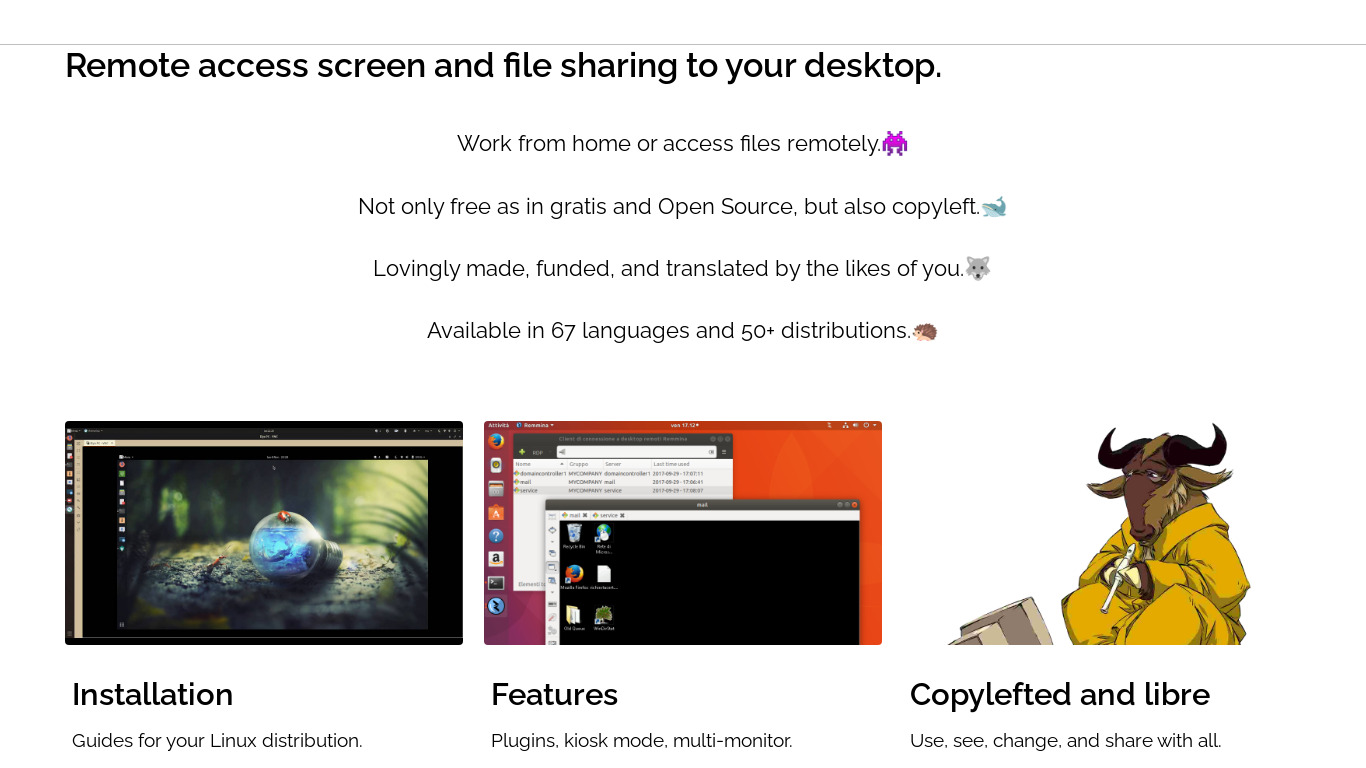
Remmina offers a tabbed interface, enabling users to manage multiple remote connections efficiently within a single window.
Screenshots
Remmina vs. its alternatives
| Remmina |  TeamViewer TeamViewer |  AnyDesk AnyDesk |  TightVNC TightVNC |  LogMeIn LogMeIn | |
|---|---|---|---|---|---|
| Pricing | Open source | — | — | — | — |
| Platforms | — | — | |||
| Listed features | 5 | 7 | 6 | 6 | 5 |
Frequently asked questions
Is Remmina free?
Remmina is listed with an open-source pricing tag, allowing users to inspect the source code, customize the software, and contribute to development.
What is Remmina used for?
Remmina is used as a remote desktop client aimed at system administrators and travellers who need to work with many remote computers from large monitors or tiny netbooks.
What operating systems are supported by Remmina?
Remmina is available on multiple operating systems including Linux and Windows, providing flexibility for users in different environments.
What remote desktop protocols does Remmina support?
Remmina supports a wide range of protocols including RDP, VNC, SPICE, X2Go, SSH, and SFTP for versatile remote access needs.
How does Remmina handle multiple remote connections?
Remmina offers a tabbed interface that enables users to manage multiple remote connections efficiently inside a single window.
What are the best alternatives to Remmina?
Popular alternatives to Remmina include TeamViewer, AnyDesk, and TightVNC. You might prefer these tools depending on your specific remote desktop and platform requirements.
Alternatives to Remmina
Read the full comparison →TeamViewer
TeamViewer lets you establish a connection to any PC or server within just a few seconds.
AnyDesk
AnyDesk is the world's most comfortable remote desktop application. Access all your programs, documents and files from anywhere, without having to entrust your data to a cloud service.
TightVNC
TightVNC - VNC-Compatible Remote Control / Remote Desktop Software. Download TightVNCDownload TightVNC 1. 3. 10 - TightVNC Server - F. A. Read more about TightVNC.
LogMeIn
LogMeIn gives you fast, easy remote access to your PC or Mac from your browser, desktop and mobile...

UltraVNC
VNC remote access software, support server and viewer software for on demand remote computer support. Remote desktop support software for remote PC control. Free

mRemoteNG
mRemoteNG is a fork of mRemote, an open source, tabbed, multi-protocol, remote connections manager.
DWService
DWService offers a service that allows access to remote systems using a standard web browser.

Chrome Remote Desktop
The easy way to remotely connect with your home or work computer, or share your screen with others.