
Tool profile
Turtl
The secure, collaborative notebook
What is Turtl?
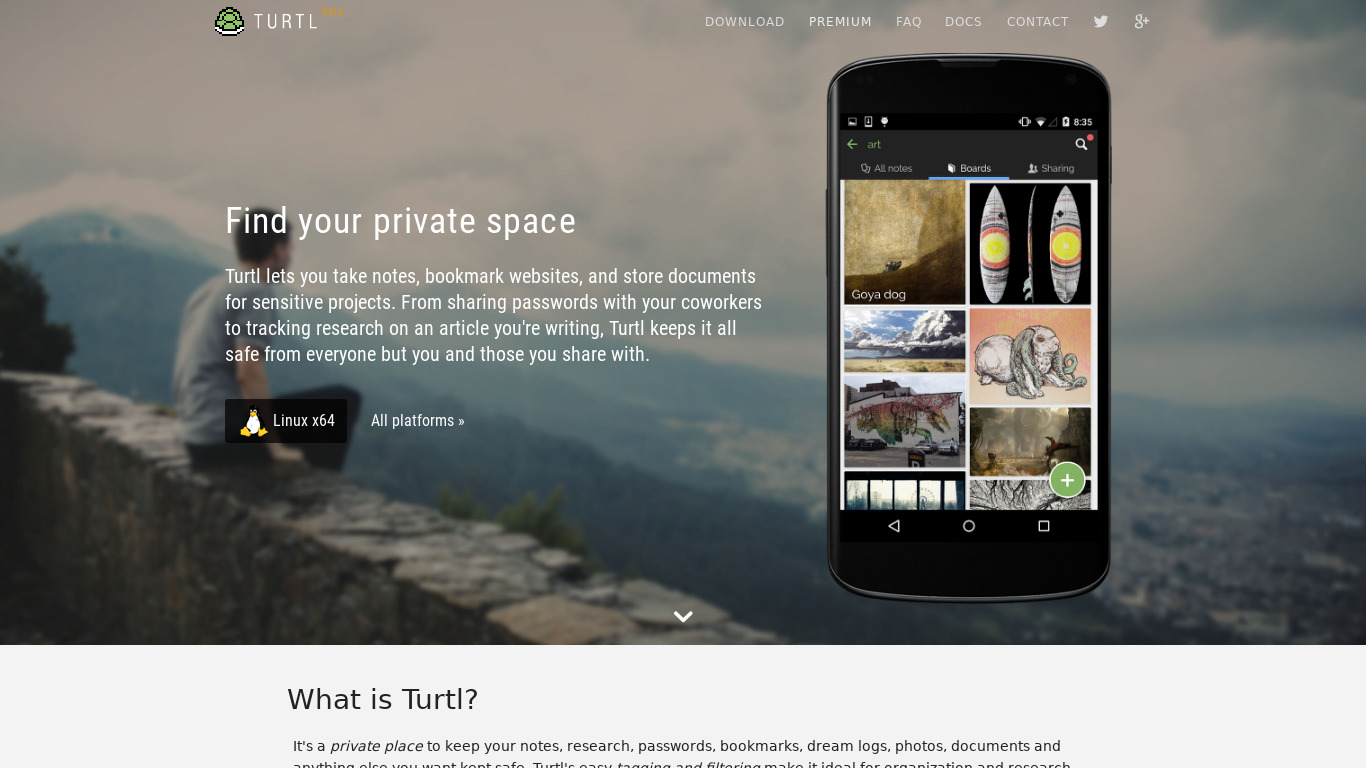
Turtl is a productivity tool well-suited for users who prioritize privacy and collaboration, offering end-to-end encryption to keep data secure. It features an open-source codebase that allows users to inspect and modify the software, alongside a user-friendly interface for organizing notes and tasks.
The application provides cross-platform support across Windows, macOS, Linux, Android, and iOS, plus web availability. Its pricing is listed at $3 per month with open-source, freemium, and free trial tags available.
Teams looking to work together efficiently on projects will find Turtl's sharing capabilities practical, though you should check their pricing page for current plans and exact feature tiers.
Features
Privacy-focused
Turtl prioritizes user privacy by offering end-to-end encryption, ensuring that your data remains confidential and secure.
Open-source
Being an open-source application, Turtl allows users to inspect, modify, and contribute to the codebase, fostering a transparent and collaborative environment.
Cross-platform support
Turtl is available on multiple platforms including Windows, macOS, Linux, Android, and iOS, making it accessible from a variety of devices.
User-friendly interface
The application offers an intuitive and clean interface, making it easy for users to organize and manage their notes and tasks.
Collaborative features
Turtl supports sharing and collaboration features, allowing teams to work together efficiently on projects and tasks.
Screenshots
Turtl vs. its alternatives
| Turtl |  Simplenote Simplenote |  OneNote OneNote |  Evernote Evernote |  CherryTree CherryTree | |
|---|---|---|---|---|---|
| Pricing | $3/mo | Open source | — | — | — |
| Platforms | — | ||||
| Listed features | 5 | 6 | 6 | 5 | 7 |
Frequently asked questions
How much does Turtl cost?
Turtl is priced at $3 per month. Its pricing tags include open source, freemium, and a free trial.
What is Turtl used for?
Turtl is a secure, collaborative notebook used for organizing and managing notes and tasks, as well as working together efficiently on projects.
What platforms is Turtl available on?
Turtl offers cross-platform support on Windows, macOS, Linux, Android, and iOS, and is also available on the web.
Is Turtl open-source?
Yes, Turtl is an open-source application that allows users to inspect, modify, and contribute to the codebase.
Does Turtl offer privacy features?
Turtl prioritizes user privacy by offering end-to-end encryption to ensure your data remains confidential and secure.
What are the best alternatives to Turtl?
Top alternatives to Turtl include Simplenote, OneNote, Evernote, CherryTree, and Standard Notes. You might prefer these depending on your specific needs for note-taking and ecosystem integration.
Alternatives to Turtl
Read the full comparison →Simplenote
The simplest way to keep notes. Light, clean, and free. Simplenote is now available for iOS, Android, Mac, and the web.
OneNote
Get the OneNote app for free on your tablet, phone, and computer, so you can capture your ideas and to-do lists in one place wherever you are. Or try OneNote with Office for free.
Evernote
Bring your life's work together in one digital workspace. Evernote is the place to collect inspirational ideas, write meaningful words, and move your important projects forward.

Standard Notes
A safe place for your notes, thoughts, and life's work


Boostnote
Boostnote is an open-source note-taking app.

Zim Wiki
Zim is a graphical text editor used to maintain a collection of wiki pages. Each page can contain links to other pages, simple formatting and images.

Trilium Notes
Trilium Notes is a hierarchical note taking application.
