
Tool profile
OmniFocus
Put your life in perspective and get things done
What is OmniFocus?
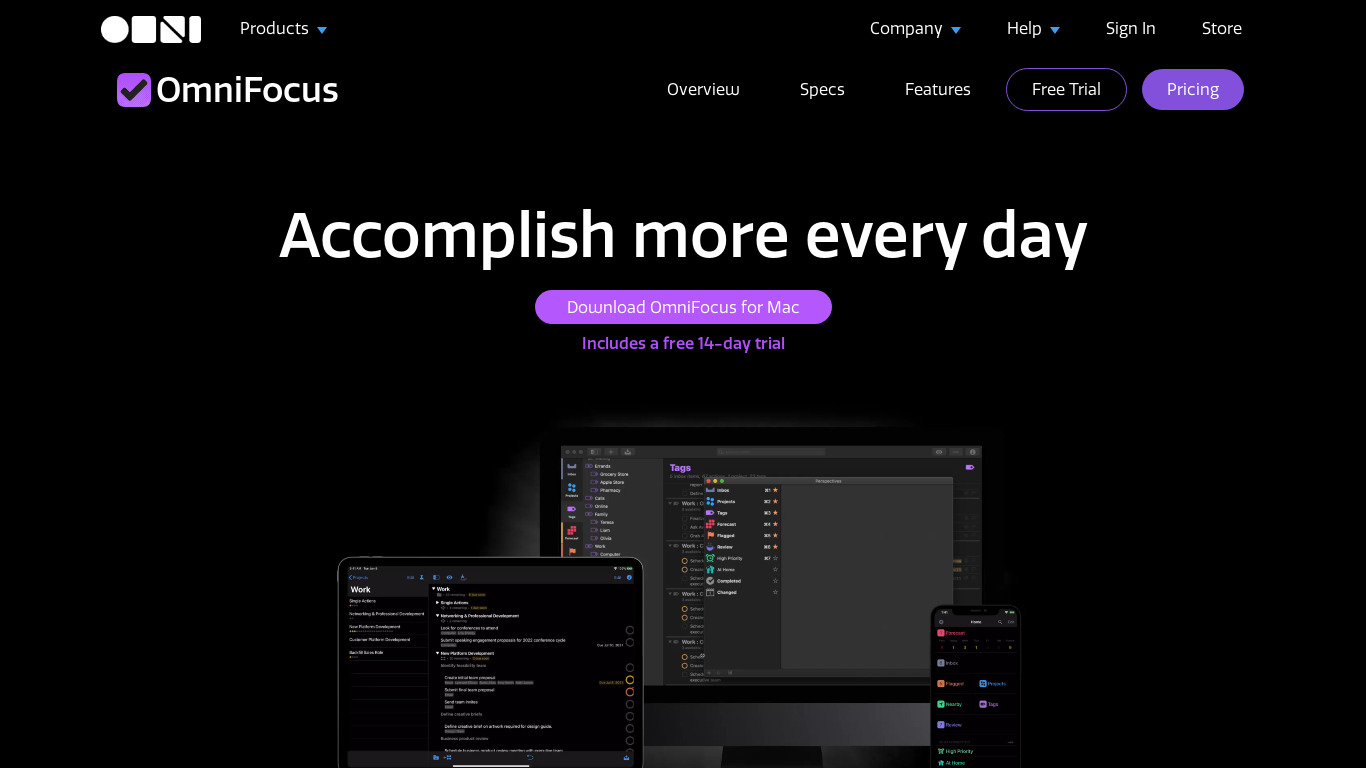
OmniFocus is a project management tool built for users who need Comprehensive Task Management, allowing for detailed project planning, contexts, and perspectives. It stands out with deep integration into the Apple ecosystem, supporting features like Siri Shortcuts and Handoff, alongside advanced automation through AppleScript on macOS and URL schemes on iOS. Users can tailor their workflows using custom perspectives, tags, and unique project structures while synchronizing tasks across macOS, iOS, and the web.
Specific pricing details are not listed in the facts, so check their pricing page for current plans. While the app offers cross-platform availability on macOS, iOS, and the web, its deepest automation and integration features are heavily tied to the Apple ecosystem.
Features
Comprehensive Task Management
OmniFocus provides a wide range of features that allow users to manage tasks, projects, and to-do lists efficiently. This includes support for contexts, perspectives, and detailed project planning.
Cross-Platform Availability
The app is available on macOS, iOS, and the web, allowing users to synchronize their tasks across multiple devices seamlessly.
Customizable Workflows
Users can tailor their workflows to fit their specific needs by creating custom perspectives, using tags, and setting up unique project structures.
Integration with Apple Ecosystem
OmniFocus integrates deeply with the Apple ecosystem, supporting Siri Shortcuts, Handoff, and other Apple-native features.
Advanced Automation
The app supports automation through AppleScript on macOS and URL schemes on iOS, allowing for streamlined, automated task management.
Screenshots
OmniFocus vs. its alternatives
| OmniFocus |  Trello Trello |  Workflowy Workflowy |  Simplenote Simplenote |  OneNote OneNote | |
|---|---|---|---|---|---|
| Pricing | — | $12.5/mo | $4.99/mo | Open source | — |
| Platforms | — | ||||
| Listed features | 5 | 6 | 16 | 6 | 6 |
Frequently asked questions
How much does OmniFocus cost?
Exact pricing details are not listed in the facts, so check their pricing page for current plans.
What is OmniFocus used for?
OmniFocus is used for comprehensive task management, helping users efficiently manage tasks, projects, and to-do lists using contexts, perspectives, and detailed project planning.
What platforms is OmniFocus available on?
OmniFocus is available on macOS, iOS, and the web, allowing users to synchronize tasks seamlessly across multiple devices.
Does OmniFocus support automation?
Yes, OmniFocus supports advanced automation through AppleScript on macOS and URL schemes on iOS for streamlined task management.
How does OmniFocus integrate with Apple devices?
OmniFocus integrates deeply with the Apple ecosystem by supporting Siri Shortcuts, Handoff, and other Apple-native features.
What are the best alternatives to OmniFocus?
Some known alternatives include Trello, Workflowy, Simplenote, OneNote, and Evernote. You might prefer these alternatives depending on your specific project management and note-taking workflow needs.
Alternatives to OmniFocus
Read the full comparison →Trello
Infinitely flexible. Incredibly easy to use. Great mobile apps. It's free. Trello keeps track of everything, from the big picture to the minute details.
Workflowy
A better way to organize your mind.
Simplenote
The simplest way to keep notes. Light, clean, and free. Simplenote is now available for iOS, Android, Mac, and the web.
OneNote
Get the OneNote app for free on your tablet, phone, and computer, so you can capture your ideas and to-do lists in one place wherever you are. Or try OneNote with Office for free.

Evernote
Bring your life's work together in one digital workspace. Evernote is the place to collect inspirational ideas, write meaningful words, and move your important projects forward.

Todoist
Todoist is a to-do list that helps you get organized, at work and in life.

Remember The Milk
Remember The Milk is a task and time management application for mobile devices.