Tool profile
Visio
Simplify and communicate complex information using data-linked diagrams.
What is Visio?
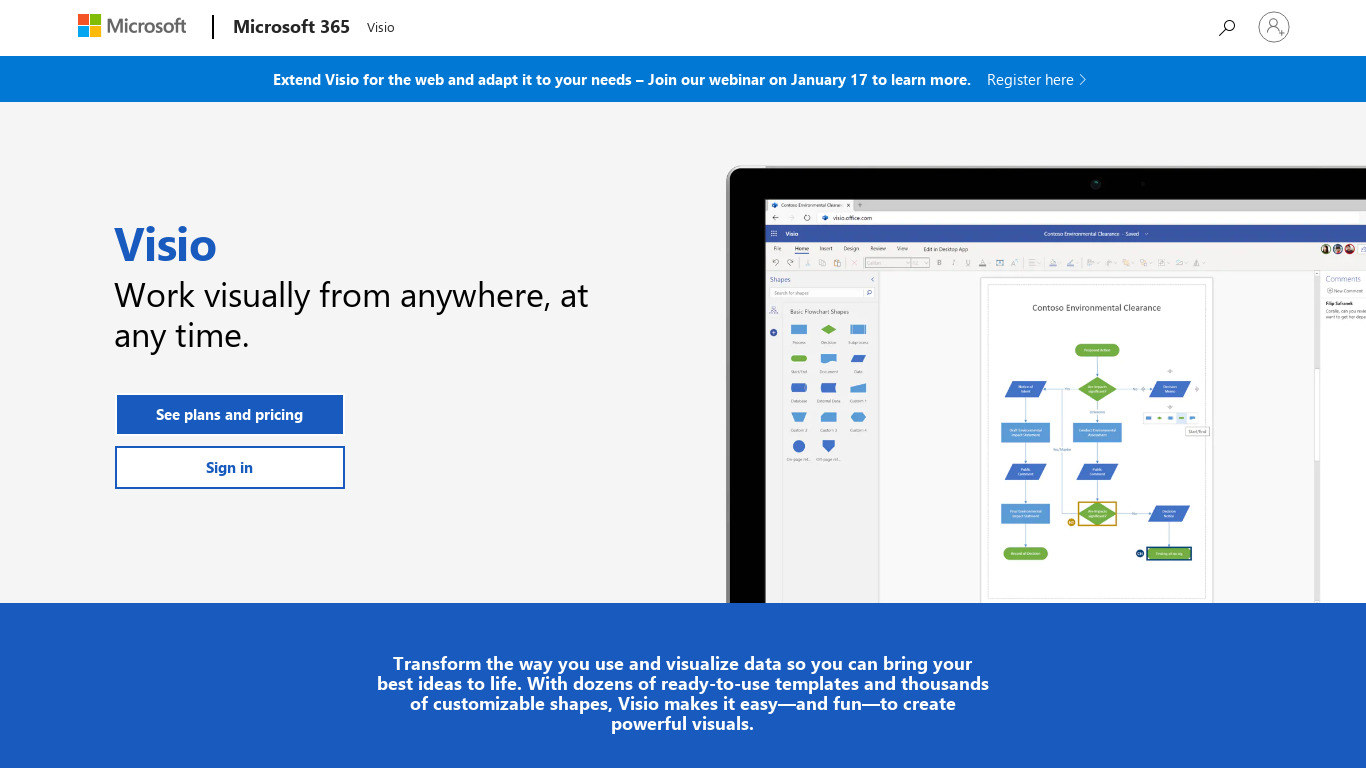
Visio is built for professionals who need to simplify and communicate complex information using data-linked diagrams. It stands out through robust data linking from external sources like Excel, SQL Server, and SharePoint lists, allowing diagrams to automatically update based on the data source. Additionally, it offers seamless integration with Microsoft 365 applications such as Word, Excel, PowerPoint, and SharePoint, alongside a wide range of templates and pre-made shapes for flowcharts, network diagrams, and organizational charts.
While the facts do not list exact pricing details, users should check the official pricing page for current plans. Visio is available on the Web platform, with Visio Online providing cloud-based collaboration where multiple users can work on a diagram simultaneously, share feedback, and make edits. Professional-level features like layering, advanced formatting options, and detailed customization support complex projects.
Features
Integration with Microsoft Ecosystem
Visio integrates seamlessly with other Microsoft 365 applications such as Word, Excel, PowerPoint, and SharePoint, making it easier to incorporate diagrams into documents, spreadsheets, presentations, and collaborative spaces.
Wide Range of Templates and Shapes
Visio offers a large variety of templates and pre-made shapes for different kinds of diagrams such as flowcharts, network diagrams, organizational charts, and more, which can save time and make the process of creating diagrams more efficient.
Cloud-Based Collaboration
Visio Online allows real-time collaboration where multiple users can work on a diagram simultaneously, share feedback, and make edits, enhancing teamwork and productivity.
Robust Data Linking
Visio supports data linking from external sources like Excel, SQL Server, and SharePoint lists, enabling dynamic diagrams that automatically update based on the data source.
Professional-Level Features
Features such as layering, advanced formatting options, detailed customization, and high-quality visual outputs make Visio suitable for professional use in complex projects.
Screenshots
Visio vs. its alternatives
| Visio |  LucidChart LucidChart |  Gliffy Gliffy |  Pingboard Pingboard |  Dia Dia | |
|---|---|---|---|---|---|
| Pricing | — | — | — | — | — |
| Platforms | — | — | — | ||
| Listed features | 5 | 6 | 5 | — | 5 |
Frequently asked questions
How much does Visio cost?
Exact pricing details are not listed in the provided facts, so please check their pricing page for current plans.
What is Visio used for?
Visio is used to simplify and communicate complex information through data-linked diagrams, including flowcharts, network diagrams, and organizational charts.
What platforms is Visio available on?
Visio is available on the Web platform, featuring Visio Online for cloud-based collaboration.
Does Visio support Integration with Microsoft Ecosystem?
Yes, Visio integrates seamlessly with Microsoft 365 applications like Word, Excel, PowerPoint, and SharePoint to help incorporate diagrams into documents and collaborative spaces.
How does Robust Data Linking work in Visio?
Visio supports data linking from external sources such as Excel, SQL Server, and SharePoint lists, which enables dynamic diagrams to automatically update based on the underlying data source.
What are the best alternatives to Visio?
Known alternatives to Visio include LucidChart, Gliffy, Pingboard, Dia, and OmniGraffle, which you might prefer depending on your specific diagramming and platform needs.
Alternatives to Visio
Read the full comparison →

PlantUML
PlantUML is an open-source tool that uses simple textual descriptions to draw UML diagrams.


draw.io
Online diagramming application


Creately
From Idea to Execution - 10x Faster with AI Diagrams