
Tool profile
LucidChart
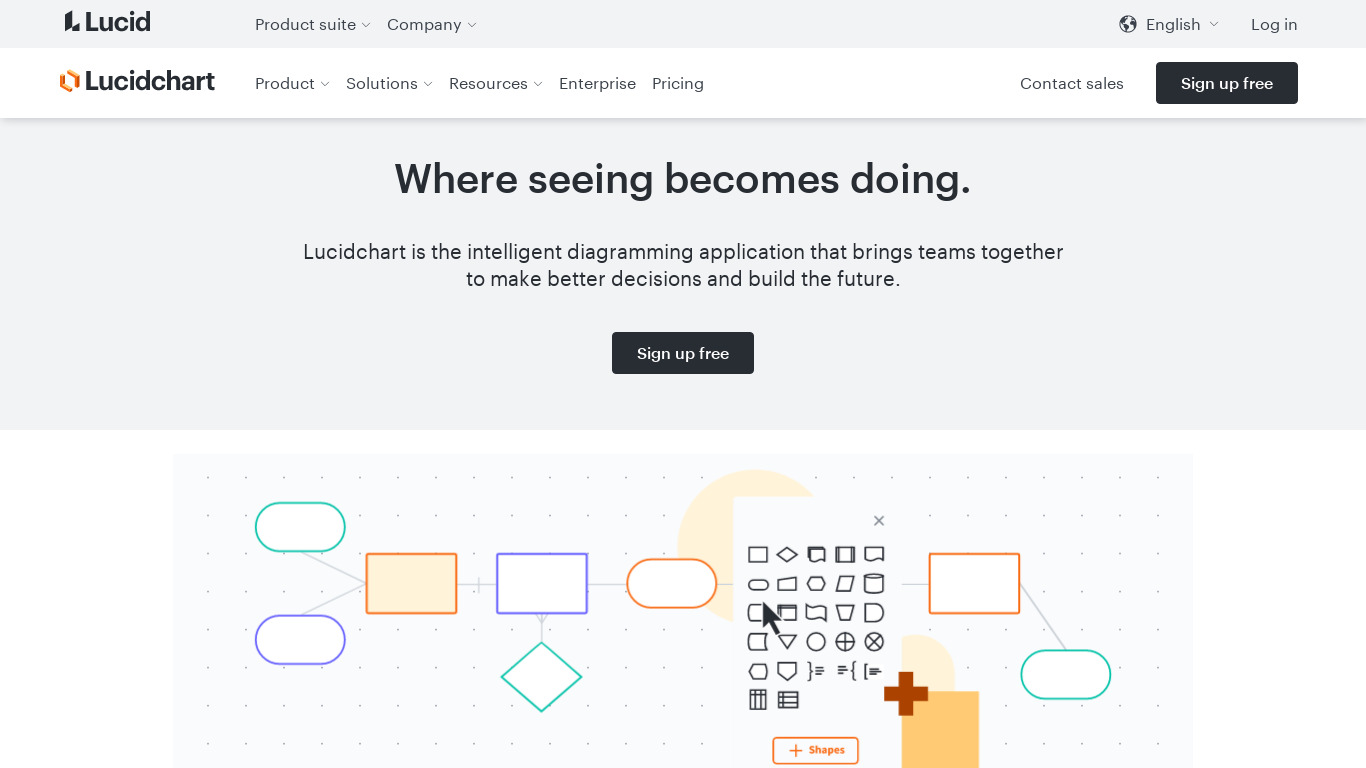
LucidChart is the missing link in online productivity suites. LucidChart allows users to create, collaborate on, and publish attractive flowcharts and other diagrams from a web browser.
Categories
Pricing
What is LucidChart?
LucidChart is built for users looking to create, collaborate on, and publish flowcharts and diagrams directly from a web browser. It stands out with a user-friendly interface, cross-platform web browser access, and robust collaboration tools that include real-time editing and commenting.
Teams can enhance their existing workflows through integrations with Google Drive, Slack, and Microsoft Office. The platform also offers an extensive template library alongside advanced features like data linking and automatic formatting for complex diagrams.
Exact pricing details are not listed in the available facts, so check their pricing page for current plans. Similarly, while it supports multiple operating systems via web browsers, check their official site for any native app specifics.
Features
User-Friendly Interface
LucidChart features a clean, intuitive interface that makes it easy for users of all skill levels to create diagrams and flowcharts quickly.
Collaboration Features
The platform offers robust collaboration tools, including real-time editing and commenting, which make it easy for teams to work together efficiently.
Integration Capabilities
LucidChart integrates seamlessly with a variety of other tools such as Google Drive, Slack, and Microsoft Office, enhancing its utility within existing workflows.
Template Library
The extensive library of templates and shapes helps users get started quickly and ensures that their diagrams maintain a professional appearance.
Cross-Platform Support
LucidChart is compatible with multiple operating systems and can be accessed via web browsers, enabling users to work from any device.
Advanced Features
Advanced functionalities, such as data linking and automatic formatting, provide powerful tools for creating complex and precise diagrams.
Screenshots
LucidChart vs. its alternatives
| LucidChart |  Gliffy Gliffy |  Dia Dia |  OmniGraffle OmniGraffle |  PlantUML PlantUML | |
|---|---|---|---|---|---|
| Pricing | — | — | — | — | Open source |
| Platforms | — | — | |||
| Listed features | 6 | 5 | 5 | 5 | 6 |
Frequently asked questions
How much does LucidChart cost?
Specific pricing plans are not listed in the facts, so check their pricing page for current pricing information.
What is LucidChart used for?
LucidChart is used to create, collaborate on, and publish attractive flowcharts and other diagrams from a web browser.
What devices can I use to access LucidChart?
LucidChart features cross-platform support and can be accessed via web browsers on multiple operating systems, enabling you to work from any device.
What tools does LucidChart integrate with?
LucidChart integrates with Google Drive, Slack, and Microsoft Office to enhance utility within your existing workflows.
What advanced features are available in LucidChart?
LucidChart offers advanced functionalities such as data linking and automatic formatting to help you create complex and precise diagrams.
What are the best alternatives to LucidChart?
Alternatives include Gliffy, Dia, OmniGraffle, PlantUML, and yEd. You might prefer one of these depending on your specific platform requirements or diagramming preferences.
Alternatives to LucidChart
Read the full comparison →PlantUML
PlantUML is an open-source tool that uses simple textual descriptions to draw UML diagrams.


draw.io
Online diagramming application

Xmind
Xmind is a brainstorming and mind mapping application.

Creately
From Idea to Execution - 10x Faster with AI Diagrams