Tool profile
draw.io
Online diagramming application
What is draw.io?
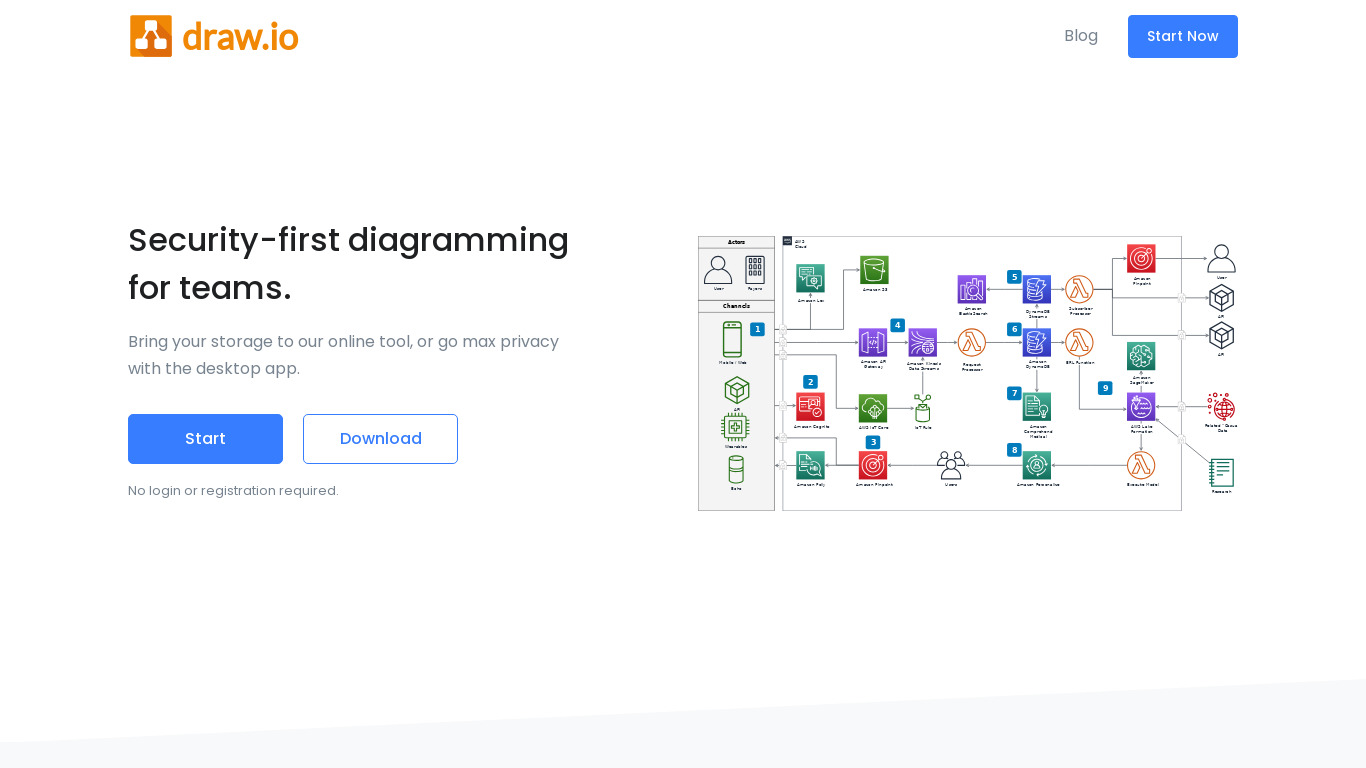
draw.io is an online diagramming application built for users who need to create flowcharts, UML diagrams, and network diagrams directly in a web browser without requiring any installation. The platform features an intuitive drag-and-drop interface, customizability for shapes, styles, and templates, and real-time collaboration capabilities that allow multiple users to work on the same diagram simultaneously. It integrates directly with cloud storage services such as Google Drive, OneDrive, and Dropbox.
For pricing, draw.io offers a free version with extensive features, and the platform is open source. Because it operates entirely as a web-based tool accessible from any device with an internet connection, it suits individuals and small teams looking for an accessible diagramming solution. Check their pricing page for current plans if you require enterprise-specific tiers not listed in the open-source facts.
Features
Free
draw.io offers a free version with extensive features, making it accessible to individuals and small teams without requiring financial investment.
User-Friendly Interface
The platform provides an intuitive drag-and-drop interface that is easy to use for both beginners and advanced users.
Collaboration
It supports real-time collaboration, allowing multiple users to work on the same diagram simultaneously.
Integrations
It integrates seamlessly with popular cloud storage services like Google Drive, OneDrive, and Dropbox, facilitating easy sharing and saving.
Versatility
Draw.io supports various diagram types including flowcharts, UML diagrams, network diagrams, and more, catering to a wide range of use cases.
No Installation Required
As a web-based tool, draw.io does not require any installation, making it accessible from any device with an internet connection.
Customizability
Users can customize shapes, styles, and templates to fit their specific needs, enhancing the utility of the tool.
Screenshots
draw.io vs. its alternatives
| draw.io |  LucidChart LucidChart |  Gliffy Gliffy |  Dia Dia |  OmniGraffle OmniGraffle | |
|---|---|---|---|---|---|
| Pricing | Open source | — | — | — | — |
| Platforms | — | — | |||
| Listed features | 7 | 6 | 5 | 5 | 5 |
Frequently asked questions
Is draw.io free?
Yes, draw.io offers a free version with extensive features, making it accessible to individuals and small teams without requiring financial investment.
What is draw.io used for?
draw.io is used as an online diagramming application supporting various diagram types, including flowcharts, UML diagrams, and network diagrams.
What platforms does draw.io support?
draw.io is available on the Web as a web-based tool that does not require any installation, making it accessible from any device with an internet connection.
Does draw.io support real-time collaboration?
Yes, draw.io supports real-time collaboration, allowing multiple users to work on the same diagram simultaneously.
What cloud storage services does draw.io integrate with?
draw.io integrates seamlessly with popular cloud storage services like Google Drive, OneDrive, and Dropbox to facilitate easy sharing and saving.
What are the best alternatives to draw.io?
Some of the known alternatives to draw.io include LucidChart, Gliffy, and OmniGraffle. You might prefer these alternatives depending on your specific workflow and platform preferences.
Alternatives to draw.io
Read the full comparison →
PlantUML
PlantUML is an open-source tool that uses simple textual descriptions to draw UML diagrams.


Creately
From Idea to Execution - 10x Faster with AI Diagrams