
Tool profile
Remote Utilities
Access remote PCs and provide remote customer support with ease.
Categories
Pricing
What is Remote Utilities?
Remote Utilities is designed for IT professionals, helpdesk providers, and businesses requiring remote access and customer support capabilities. Standout features include unattended access via the Host module, attended access via the Agent module, and a self-hosted server option that routes connections through your own intermediary server. The platform supports Active Directory integration, encrypted file transfers, terminal command-line access, and remote registry editing.
For pricing, the starter license costs $99 as a one-off payment and includes 20 controlled devices, with freemium and free trial options available. You can manage connections using address books and folders, control remote desktops and mouse pointers, and execute applications remotely. Mobile support is available for both iOS and Android devices.
Features
Remote access over LAN - Directly connect to a remote PC using its IP address or DNS name.
Remote access over the Internet - Bypass firewalls using our built-in and free cloud service.
Unattended access - Deploy the Host module for 24/7 access to remote PCs.
Attended access - Provide ad hoc remote support over the Internet using the Agent module.
Self-hosted server - Route all remote connections through your own intermediary server.
Address books and folders - Better organize your remote connections.
Active Directory integration - Auto-shows tree when Viewer is installed in a domain and supports adding more domain controllers.
Mobile support - Access your remote computers from iOS and Android devices.
Control remote desktop, mouse pointer, and send keystrokes.
Transfer files between computers through an encrypted channel.
Power control - Shut down, restart, lock the remote PC, or turn on/off the remote monitor.
Terminal - Gain full access to the command line on the remote computer.
Task manager - View processes, windows, services, and users on the remote computer.
Remote registry - Edit as if using Windows regedit.exe utility.
Execute applications on the remote PC by sending a command from the local PC.
Screenshots
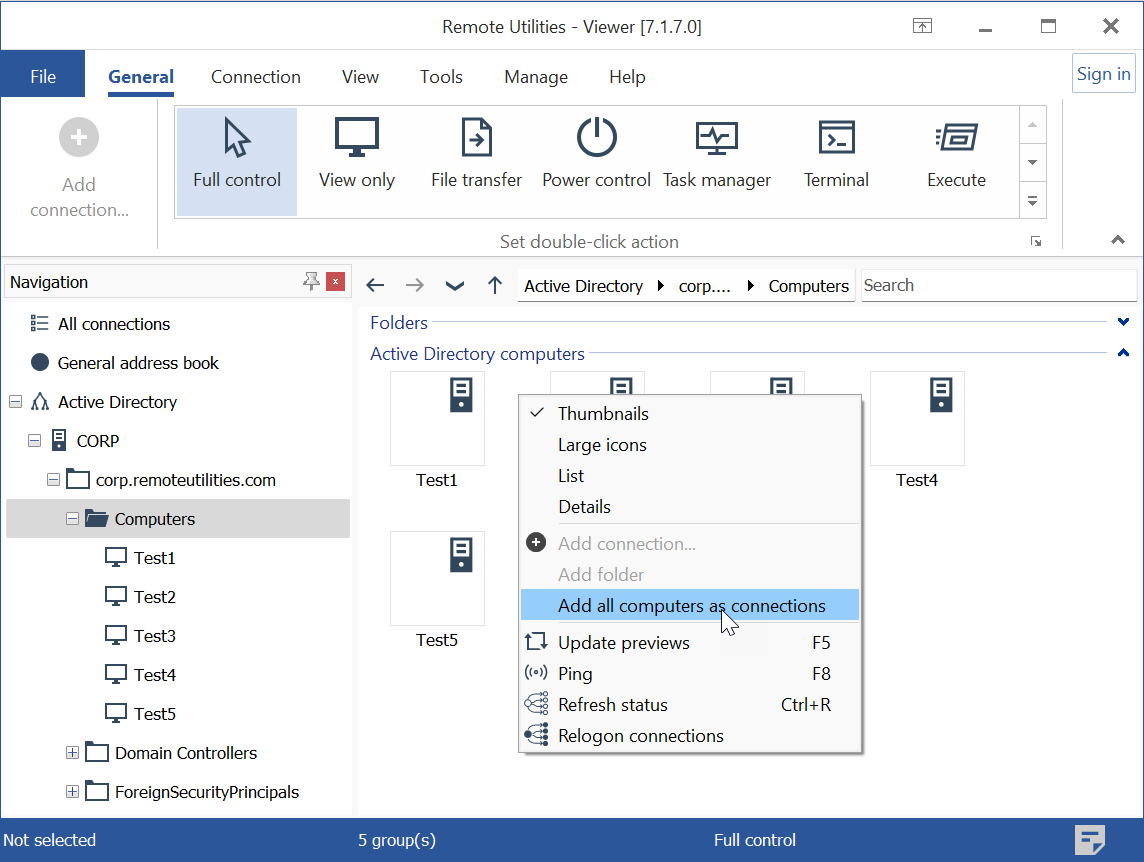
Remote Utilities vs. its alternatives
| Remote Utilities |  join.me join.me |  TeamViewer TeamViewer |  AnyDesk AnyDesk |  TightVNC TightVNC | |
|---|---|---|---|---|---|
| Pricing | $99/mo | — | — | — | — |
| Platforms | — | — | |||
| Listed features | 15 | 5 | 7 | 6 | 6 |
Frequently asked questions
How much does Remote Utilities cost?
The starter license costs $99 as a one-off payment and includes 20 controlled devices. Freemium and free trial options are also available.
Who is Remote Utilities for?
Remote Utilities is primarily for IT professionals, helpdesk providers, businesses requiring remote work capabilities, and individuals needing reliable remote access to personal computers.
What platforms does Remote Utilities support?
Remote Utilities provides mobile support for iOS and Android devices, alongside desktop support and cross-platform connections between Windows, macOS, and Linux.
What is the Self-hosted server feature?
The self-hosted server allows you to route all of your remote connections directly through your own intermediary server for enhanced data control and security.
Can I access a remote PC without someone on the other end?
Yes, you can use unattended access by deploying the Host module, which provides 24/7 access to remote PCs.
What are the best alternatives to Remote Utilities?
Some known alternatives include TeamViewer, AnyDesk, and TightVNC. You might prefer these alternatives depending on your specific platform requirements, interface preferences, or subscription models.
Alternatives to Remote Utilities
Read the full comparison →join.me
Instant screen sharing. Instant Aha!
TeamViewer
TeamViewer lets you establish a connection to any PC or server within just a few seconds.
AnyDesk
AnyDesk is the world's most comfortable remote desktop application. Access all your programs, documents and files from anywhere, without having to entrust your data to a cloud service.
TightVNC
TightVNC - VNC-Compatible Remote Control / Remote Desktop Software. Download TightVNCDownload TightVNC 1. 3. 10 - TightVNC Server - F. A. Read more about TightVNC.
Remote Desktop Manager
Remote Desktop Manager is a remote connection and password management platform for IT pros trusted by more than 300 000 users in 130 countries.Add-ons - Remote Desktop .
Apple Remote Desktop
Apple Remote Desktop is the best way to manage the Mac computers on your network.

LogMeIn
LogMeIn gives you fast, easy remote access to your PC or Mac from your browser, desktop and mobile...
mRemoteNG
mRemoteNG is a fork of mRemote, an open source, tabbed, multi-protocol, remote connections manager.