
Tool profile
Morgen.so
All-in-one Calendar, Tasks & Scheduler. Morgen is the single hub for everything that revolves around time management.
What is Morgen.so?
Morgen.so is built for users looking for an all-in-one hub to manage their time across a clean and intuitive user interface. It stands out by combining a robust task management system with calendar events, featuring dedicated time blocking to help you plan specific time slots for activities. It also integrates smoothly with popular productivity tools like Google Calendar, Microsoft Outlook, and Todoist.
While the specific pricing details are not listed in the facts and require a visit to their pricing page, the platform provides cross-platform support across macOS, Windows, and Linux. If you are comparing options, knowing its core focus on unified time management can help you decide if it fits your workflow.
Features
User-Friendly Interface
Morgen.so offers a clean and intuitive user interface, making it easy for users to navigate and manage their schedules effectively.
Cross-Platform Support
The application is available on multiple platforms, including macOS, Windows, and Linux, ensuring users can access their schedules from various devices.
Integration with Popular Tools
Morgen.so integrates seamlessly with popular calendar and productivity tools like Google Calendar, Microsoft Outlook, and Todoist, allowing for a unified scheduling experience.
Time Blocking Feature
The time blocking feature helps users plan their day efficiently by allocating specific time slots for tasks and activities.
Task Management
Morgen.so includes a robust task management system, enabling users to create, assign, and track tasks alongside their calendar events.
Screenshots
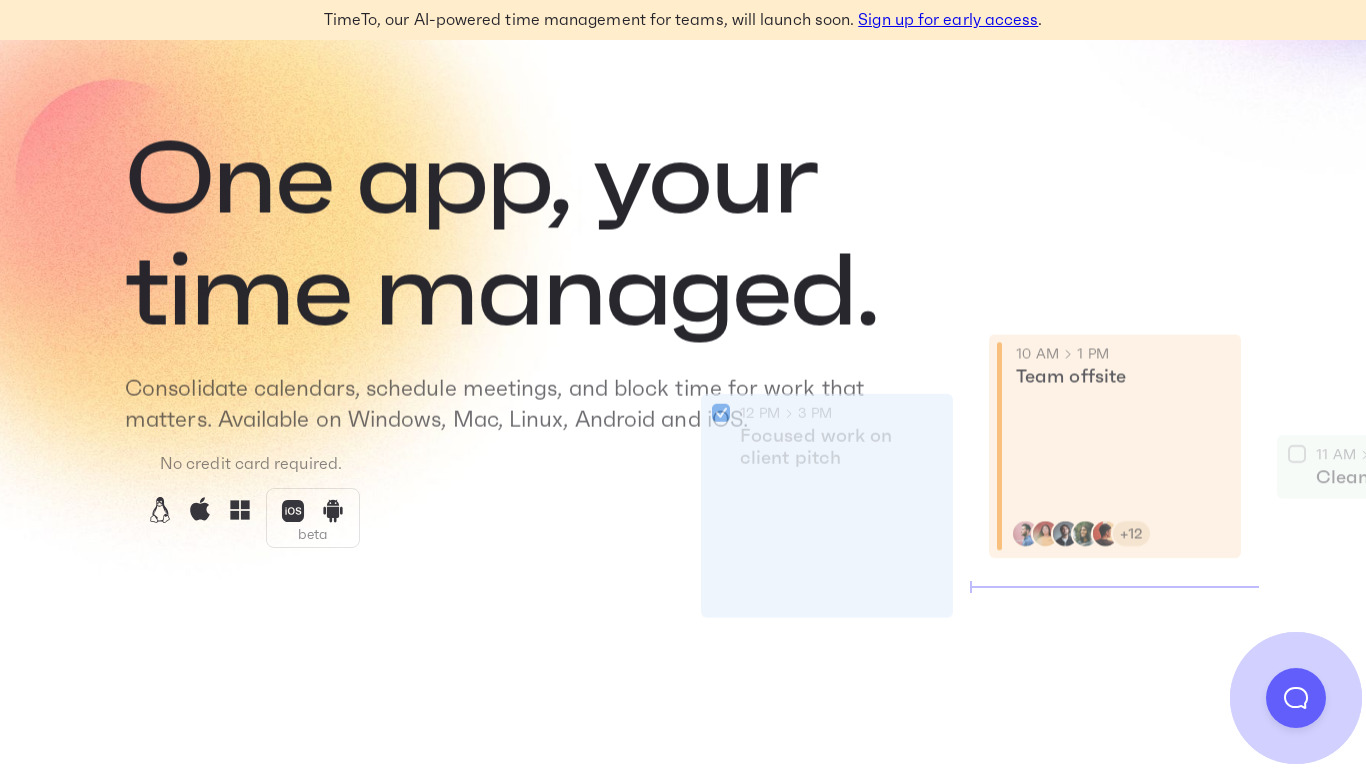
Morgen.so vs. its alternatives
| Morgen.so |  Fantastical 2 Fantastical 2 |  Todoist Todoist |  TickTick TickTick |  Simple Calendar Simple Calendar | |
|---|---|---|---|---|---|
| Pricing | — | — | — | — | — |
| Platforms | |||||
| Listed features | 5 | — | 7 | 7 | — |
Frequently asked questions
How much does Morgen.so cost?
Exact pricing details are not listed in the facts, so you will need to check their pricing page at https://morgen.so/pricing for current plans.
What is Morgen.so used for?
Morgen.so functions as an all-in-one hub for calendar events, tasks, and scheduling to help you manage everything that revolves around time management.
What platforms are supported by Morgen.so?
Morgen.so offers cross-platform support on macOS, Windows, and Linux, and is also available on the Web.
How does the Time Blocking Feature work?
The time blocking feature helps you plan your day efficiently by allocating specific time slots for tasks and activities.
What tools does Morgen.so integrate with?
It integrates seamlessly with popular calendar and productivity tools like Google Calendar, Microsoft Outlook, and Todoist for a unified scheduling experience.
What are the best alternatives to Morgen.so?
Some known alternatives include Fantastical 2, Todoist, TickTick, Simple Calendar, and Sunsama. You might prefer Todoist or TickTick if you want standalone task management alternatives.
Alternatives to Morgen.so
Read the full comparison →Todoist
Todoist is a to-do list that helps you get organized, at work and in life.
Sunsama
Calendar and scheduling for teams



BeforeSunset
Catch beautiful sights, finish your work before sunset.