
Tool profile
Inkdrop
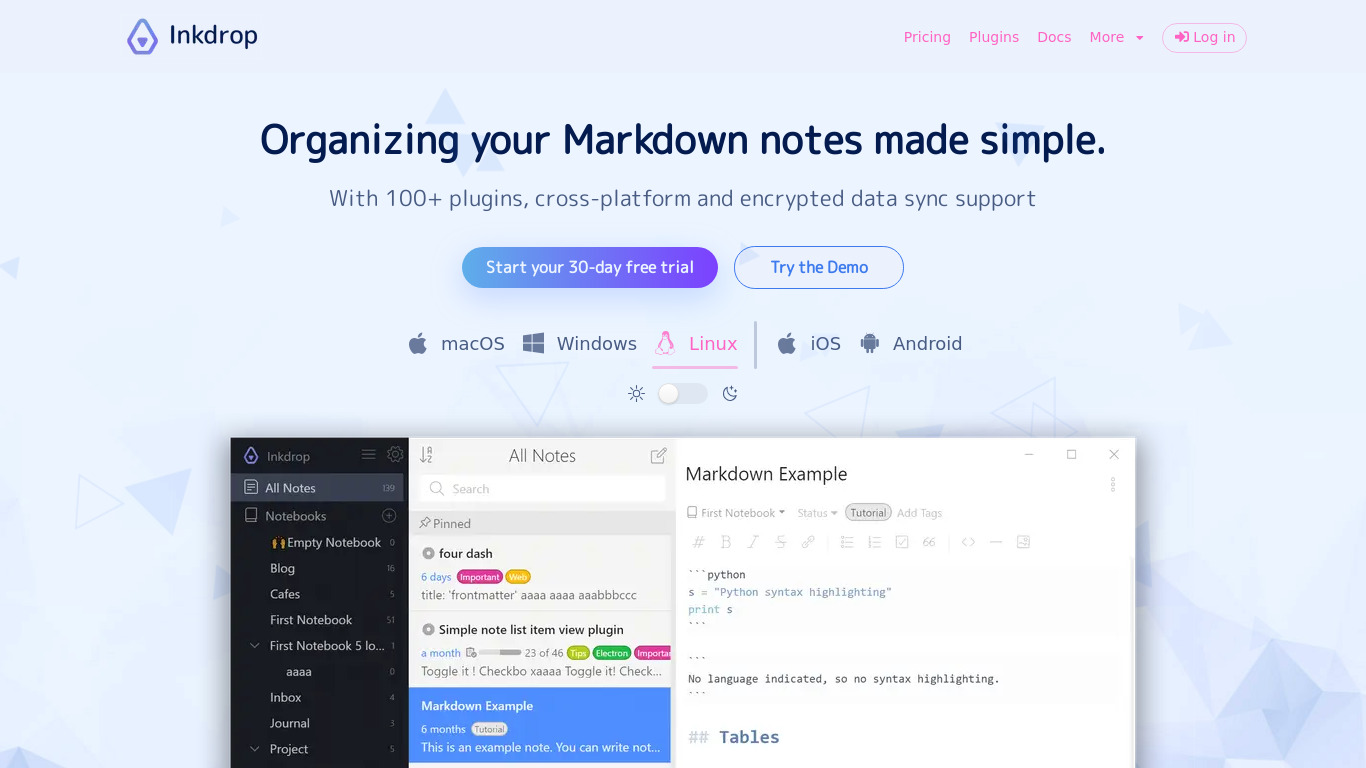
The note-taking app with robust Markdown editor, supporting macOS, Windows, and Linux.
Categories
Pricing
What is Inkdrop?
Inkdrop is designed for users in the Office & Productivity category who want a note-taking app built around a robust Markdown editor. It stands out with end-to-end encryption to keep notes secure, offline access for editing without an internet connection, and automatic synchronization across devices. Users can also utilize custom plugins to extend functionality and note versioning to roll back to previous versions when needed.
Specific pricing details are not listed in the facts, so check their pricing page for current plans. The app features a clean, user-friendly interface and supports Windows, macOS, Linux, iOS, and Android platforms.
Features
Markdown Support
Inkdrop offers robust markdown support, allowing users to create richly-formatted notes with ease.
Cross-Platform
The app is available on multiple platforms including Windows, macOS, Linux, iOS, and Android, ensuring you can access your notes from anywhere.
End-to-End Encryption
Inkdrop provides end-to-end encryption, keeping your notes secure and private.
Offline Access
You can access and edit your notes even when you are not connected to the internet, making it convenient for use on the go.
Custom Plugins
Inkdrop supports custom plugins, allowing users to extend the functionality of the app according to their needs.
Synchronization
Inkdrop automatically synchronizes your notes across all your devices, ensuring you always have the latest version.
Note Versioning
The app offers version control for notes, enabling users to roll back to previous versions if needed.
User-Friendly Interface
Inkdrop features a clean and intuitive user interface, making it easy to navigate and use.
Screenshots
Inkdrop vs. its alternatives


Frequently asked questions
How much does Inkdrop cost?
Exact pricing is not listed in the provided facts, so check their pricing page for current plans.
What is Inkdrop used for?
Inkdrop is used as an Office & Productivity note-taking app that provides a robust Markdown editor for creating richly-formatted notes.
What platforms is Inkdrop available on?
Inkdrop is available on Windows, macOS, Linux, iOS, and Android.
Does Inkdrop support Markdown?
Yes, Inkdrop offers robust Markdown support to help users create richly-formatted notes with ease.
Can I use Inkdrop offline?
Yes, Inkdrop includes offline access so you can view and edit notes even when you are not connected to the internet.
What are the best alternatives to Inkdrop?
Known alternatives to Inkdrop include Joplin, Boostnote, and Diaro. You might prefer these options depending on your specific note-taking and formatting preferences.
Alternatives to Inkdrop
Read the full comparison →
Boostnote
Boostnote is an open-source note-taking app.