
Tool profile
Clip Studio Paint
The artist's software for drawing and painting.
What is Clip Studio Paint?
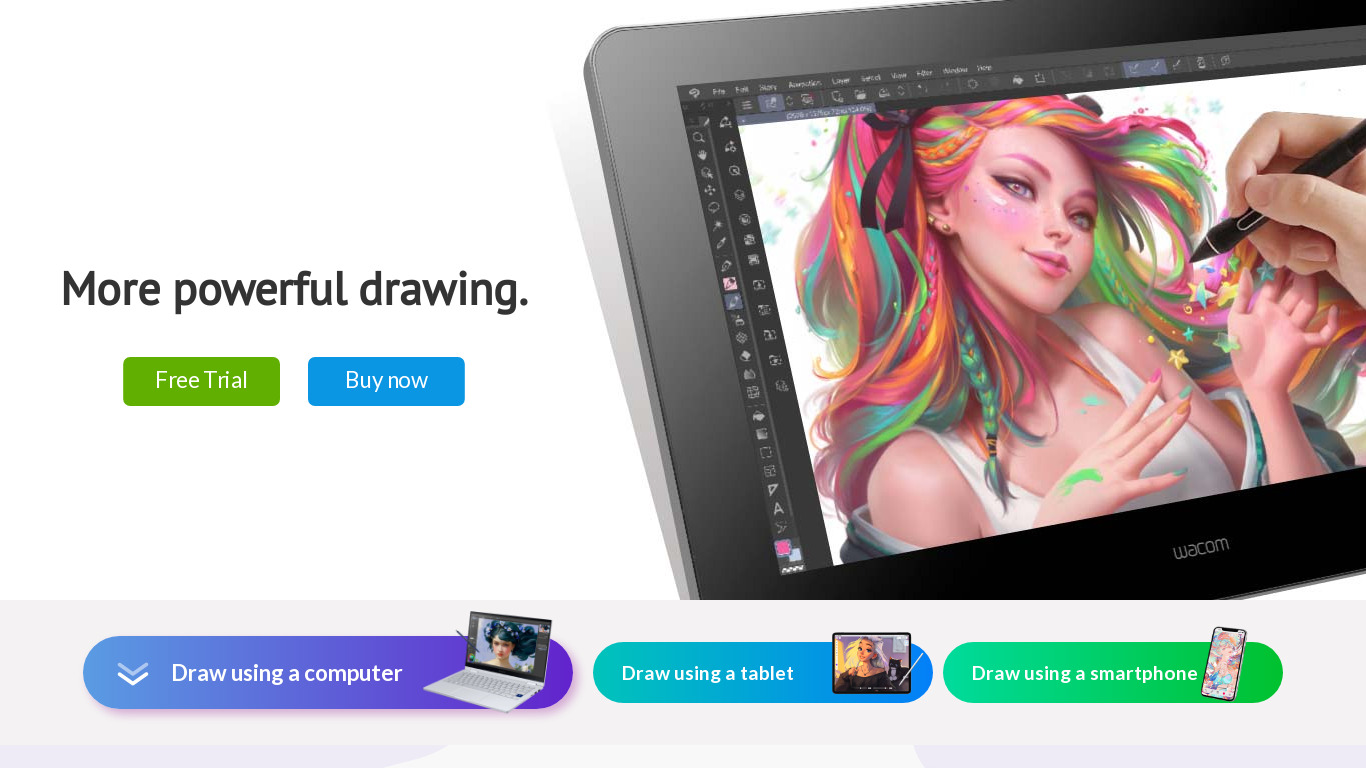
Clip Studio Paint is built for digital artists needing a versatile toolset for illustration, comics, and animation. Standout capabilities include professional-grade features like vector layers, 3D models, and rulers, alongside high customizability for brushes, workspaces, and shortcuts. It also offers a stable performance when handling large files and complex projects, reducing the risk of system crashes and data loss.
The software provides a one-time purchase option, which can be more economical for long-term use compared to subscription models. However, exact pricing details are not listed in the current data, so check their pricing page for current plans. Furthermore, the available platform data only lists Web as a supported environment.
Features
Versatile Toolset
Clip Studio Paint offers a comprehensive range of tools suitable for various types of digital art, including illustration, comics, and animation. This versatility makes it a go-to software for many artists.
High Customizability
The software provides extensive customization options for brushes, workspaces, and shortcuts. Artists can tailor the user interface to their specific workflow, enhancing productivity.
Professional-Grade Features
It includes professional-grade features such as vector layers, 3D models, and rulers. These tools provide artists with advanced capabilities to create and refine their work.
Stable Performance
Clip Studio Paint is known for its stability and efficiency, even when handling large files and complex projects. This reduces the risk of system crashes and data loss.
One-Time Purchase Option
Unlike many other software options that follow a subscription model, Clip Studio Paint offers a one-time purchase option. This can be more economical for long-term use.
Screenshots
Clip Studio Paint vs. its alternatives
| Clip Studio Paint |  Adobe Photoshop Adobe Photoshop |  GIMP GIMP |  Affinity Photo Affinity Photo |  Krita Krita | |
|---|---|---|---|---|---|
| Pricing | — | — | Open source | — | — |
| Platforms | — | — | |||
| Listed features | 5 | 5 | 4 | 6 | 5 |
Frequently asked questions
How much does Clip Studio Paint cost?
Exact pricing details are not listed in the available facts, so check their pricing page for current plans. It does, however, offer a one-time purchase option.
What is Clip Studio Paint used for?
It is an image editing software used for various types of digital art, including illustration, comics, and animation.
What platforms does Clip Studio Paint run on?
The available platform data indicates that Clip Studio Paint is available on Web.
Does Clip Studio Paint include vector layers and 3D models?
Yes, it includes professional-grade features such as vector layers, 3D models, and rulers to provide advanced capabilities for creating and refining work.
Can I customize the user interface in Clip Studio Paint?
Yes, it provides extensive customization options for brushes, workspaces, and shortcuts so artists can tailor the interface to their specific workflow.
What are the best alternatives to Clip Studio Paint?
Known alternatives include Adobe Photoshop, GIMP, Affinity Photo, Krita, and MyPaint. You might explore these options depending on your specific tool and budget requirements.
Alternatives to Clip Studio Paint
Read the full comparison →Adobe Photoshop
Adobe Photoshop is a webtop application for editing images and photos online.
GIMP
GIMP is a multiplatform photo manipulation tool.
Affinity Photo
Affinity is the imaging and design suite for creative professionals exclusively for Mac.

MyPaint
MyPaint is a fast, distraction-free, and easy painting tool for digital artists.