Tool profile
MarkdownPad
Profile in progressMarkdownPad is a full-featured Markdown editor for Windows. Features:
Categories
Pricing
Features
User-Friendly Interface
MarkdownPad offers an intuitive and clean interface that makes it easy for users to create and edit markdown documents without a steep learning curve.
Live Preview
The live preview feature allows users to see how their markdown text will look in real-time as they type, making it easier to format documents correctly.
Syntax Highlighting
MarkdownPad supports syntax highlighting, which helps users easily identify different markdown elements and edit documents more efficiently.
Customization Options
Users can customize the editor with different themes, fonts, and layouts to suit their preferences and improve their writing experience.
Integrated Markdown Cheat Sheet
MarkdownPad includes a built-in markdown cheat sheet, providing users with quick access to syntax references and saving time during the writing process.
Export Options
The software supports exporting documents to various formats like HTML and PDF, making it versatile for different use cases and sharing needs.
Screenshots
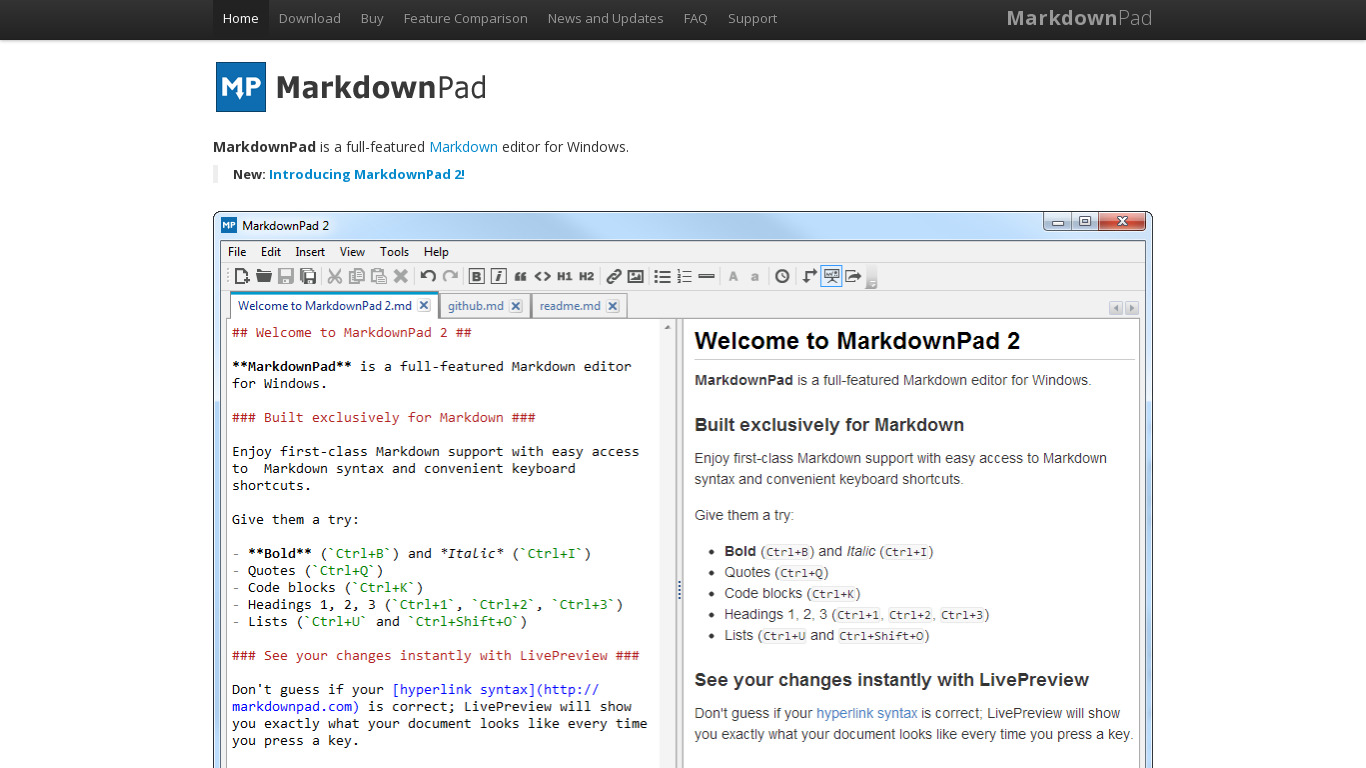
MarkdownPad vs. its alternatives
| MarkdownPad |  Typora Typora |  StackEdit StackEdit |  Haroopad Haroopad |  Markdown by DaringFireball Markdown by DaringFireball | |
|---|---|---|---|---|---|
| Pricing | — | Open source | Open source | Open source | — |
| Platforms | — | — | |||
| Listed features | 6 | 8 | 5 | 7 | 5 |
Alternatives to MarkdownPad
Typora
A minimal Markdown reading & writing app.
StackEdit
Full-featured, open-source Markdown editor based on PageDown, the Markdown library used by Stack Overflow and the other Stack Exchange sites.
Haroopad
Haroopad is a markdown enabled document processor for creating web-friendly documents.
Markdown by DaringFireball
Text-to-HTML conversion tool/syntax for web writers, by John Gruber

MacDown
MacDown is an open source Markdown editor for OS X, released under the MIT License.

Dillinger
joemccann has 95 repositories available. Follow their code on GitHub.

Rentry.co
Markdown pastebin/publishing service with preview, custom urls and editing. Fast, simple and free.

MarkPad
MarkPad is a Text editor for writing in MarkDown-Syntax.

PileMD
PileMd is a Markdown note app with a beautiful editor.