
Tool profile
MarkPad
MarkPad is a Text editor for writing in MarkDown-Syntax.
Categories
Pricing
What is MarkPad?
MarkPad is a text editor designed specifically for writing in Markdown-Syntax within the Office and Productivity category. It appeals to users who need a lightweight application that runs smoothly without consuming excessive system resources. Key features include a user-friendly interface with a simple learning curve, a real-time preview for checking output while editing, and support for multiple file formats to handle various document types.
Because it is an open-source project, users have the flexibility to customize it for their specific needs, contribute to its development, and review its functionality for transparency. However, the provided facts do not list exact pricing details or specific supported platforms, so check their official resources for current pricing plans and system requirements.
For those comparing options, known alternatives include Typora, StackEdit, MarkdownPad, Markdown by DaringFireball, and Dillinger. These offer additional choices depending on your specific preferences for Markdown editing software.
Features
User-Friendly Interface
MarkPad offers an intuitive and simple interface, making it easy for users to navigate and use without a steep learning curve.
Real-Time Preview
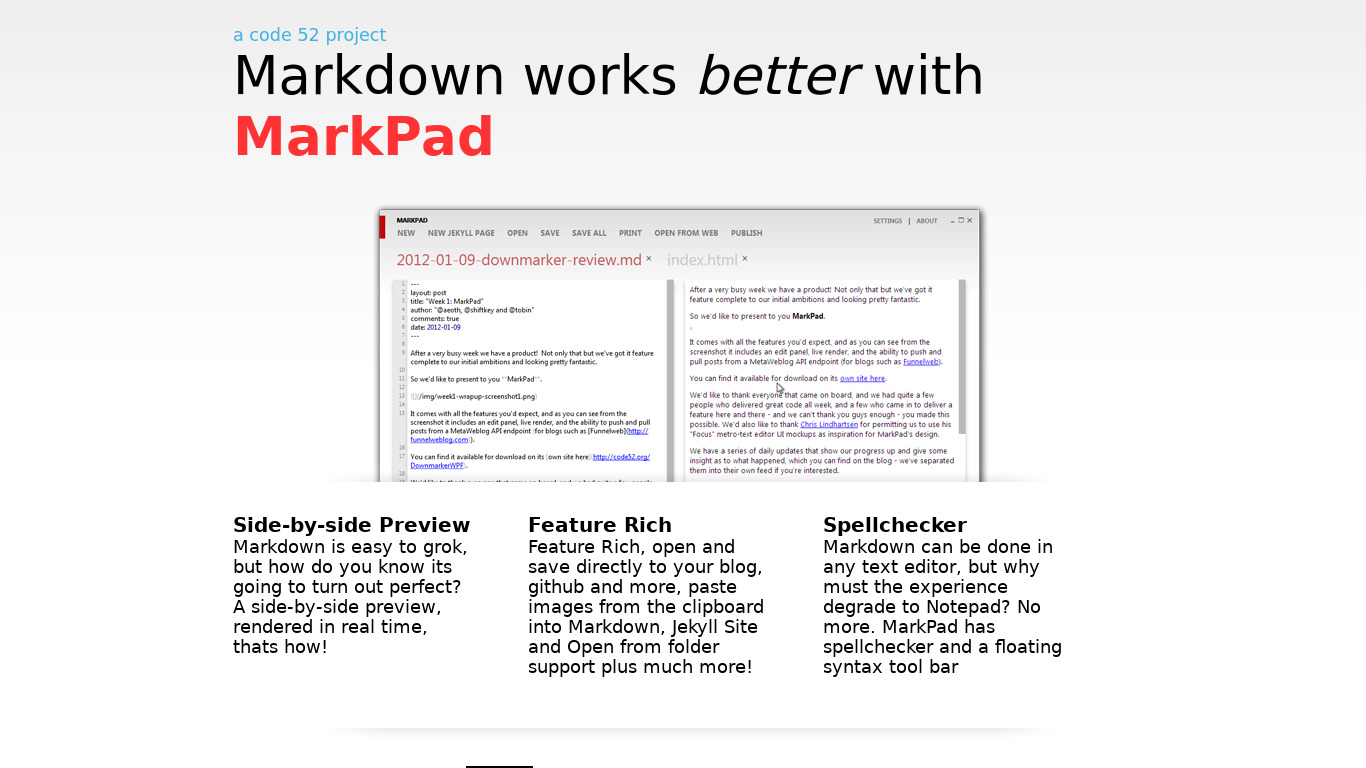
It provides a real-time preview of Markdown, helping users see the output as they edit, which enhances productivity and accuracy in content creation.
Open Source
As an open-source project, users can contribute to its development, customize it for their needs, and feel secure with transparency in its functionality.
Lightweight
The application is lightweight, ensuring it runs smoothly without consuming excessive system resources.
Supports Multiple File Formats
MarkPad supports various file formats, making it versatile for users working with different document types.
Screenshots
MarkPad vs. its alternatives
| MarkPad |  Typora Typora |  StackEdit StackEdit |  MarkdownPad MarkdownPad |  Markdown by DaringFireball Markdown by DaringFireball | |
|---|---|---|---|---|---|
| Pricing | — | Open source | Open source | — | — |
| Platforms | — | — | |||
| Listed features | 5 | 8 | 5 | 6 | 5 |
Frequently asked questions
How much does MarkPad cost?
Exact pricing details are not listed in the available facts, so please check their official pricing page for current plans.
What is MarkPad used for?
MarkPad is a text editor used for writing in Markdown-Syntax within the Office and Productivity category, helping users handle content creation and various document types.
What platforms does MarkPad support?
Specific platform availability is not listed in the provided facts, so check the developer's official documentation for compatibility details.
Does MarkPad include a real-time preview?
Yes, MarkPad provides a real-time preview of Markdown so you can see the output as you edit, which enhances productivity and accuracy in content creation.
Is MarkPad an open-source tool?
Yes, MarkPad is an open-source project, allowing users to contribute to its development, customize it for their needs, and benefit from transparency in its functionality.
What are the best alternatives to MarkPad?
Some known alternatives to MarkPad include Typora, StackEdit, and MarkdownPad. You might prefer these depending on your workflow and specific Markdown editor preferences.
Alternatives to MarkPad
Read the full comparison →Typora
A minimal Markdown reading & writing app.
StackEdit
Full-featured, open-source Markdown editor based on PageDown, the Markdown library used by Stack Overflow and the other Stack Exchange sites.
MarkdownPad
MarkdownPad is a full-featured Markdown editor for Windows. Features:
Markdown by DaringFireball
Text-to-HTML conversion tool/syntax for web writers, by John Gruber

Dillinger
joemccann has 95 repositories available. Follow their code on GitHub.

Rentry.co
Markdown pastebin/publishing service with preview, custom urls and editing. Fast, simple and free.

PHP Markdown
PHP port of the Markdown text-to-HTML conversion tool for web writers.


PileMD
PileMd is a Markdown note app with a beautiful editor.