
Tool profile
Microsoft OneDrive
Secure access, sharing & file storage
What is Microsoft OneDrive?
Microsoft OneDrive is a strong cloud storage choice for users who heavily rely on Microsoft 365 applications, as it integrates directly with Word, Excel, and PowerPoint for saving and sharing. It also supports real-time collaboration so multiple users can work on documents simultaneously, backed by file encryption in transit and at rest, plus advanced data loss prevention.
However, users should note that exact paid plan pricing is not listed in the available details, though it offers flexible storage options ranging from a free plan with 5GB up to larger paid capacities. It is accessible across Windows, macOS, iOS, Android, and web browsers, ensuring multi-device availability for individuals and teams seeking secure file storage.
Features
Integrations
OneDrive is seamlessly integrated with Microsoft Office applications, allowing for easy saving, accessing, and sharing of documents directly from Word, Excel, PowerPoint, and other Microsoft 365 apps.
Cross-Platform Availability
OneDrive is accessible on various platforms, including Windows, macOS, iOS, Android, and through web browsers, ensuring users can access their files from virtually any device.
Storage Options
OneDrive offers flexible storage options, ranging from the free plan with 5GB of storage to various paid plans that provide significantly larger storage capacities.
Collaboration Features
OneDrive supports real-time collaboration, allowing multiple users to work on a document simultaneously, with changes being updated in real-time.
Security
OneDrive provides strong security features, including file encryption both in transit and at rest, as well as advanced data loss prevention and compliance capabilities.
Screenshots
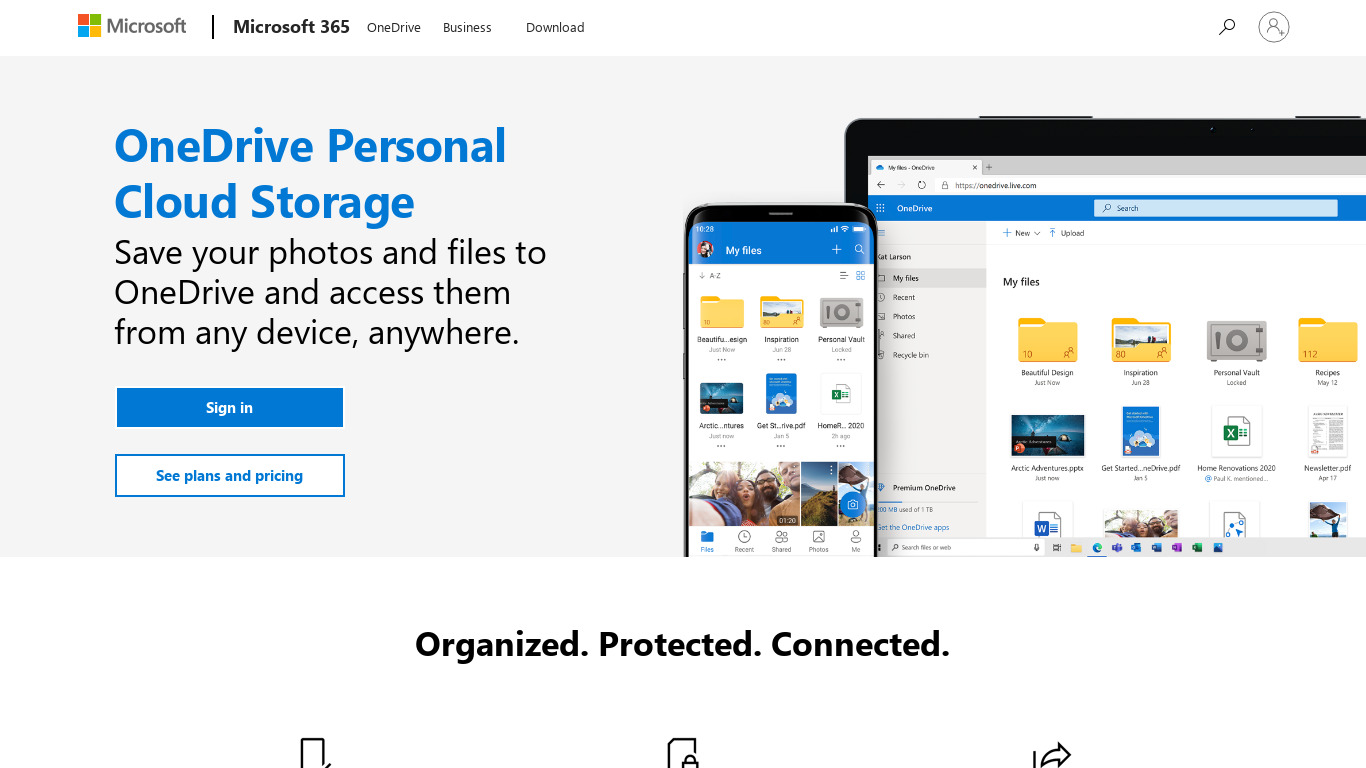
Microsoft OneDrive vs. its alternatives
| Microsoft OneDrive |  Mega Mega |  Dropbox Dropbox |  iCloud iCloud |  Box Box | |
|---|---|---|---|---|---|
| Pricing | — | — | — | — | — |
| Platforms | |||||
| Listed features | 5 | 5 | 6 | 5 | 7 |
Frequently asked questions
Is Microsoft OneDrive free?
Yes, Microsoft OneDrive offers a free plan that includes 5GB of storage.
How much do paid plans for Microsoft OneDrive cost?
Exact pricing details are not listed in the provided facts, so check their pricing page for current plans.
What is Microsoft OneDrive used for?
Microsoft OneDrive is used for secure access, file sharing, and cloud storage across multiple devices.
What platforms is Microsoft OneDrive available on?
Microsoft OneDrive is accessible on Windows, macOS, iOS, Android, and through web browsers.
Does Microsoft OneDrive support real-time collaboration?
Yes, OneDrive supports real-time collaboration, allowing multiple users to work on a document simultaneously with updates applied in real-time.
What security features does Microsoft OneDrive include?
OneDrive provides file encryption both in transit and at rest, alongside advanced data loss prevention and compliance capabilities.
What are the best alternatives to Microsoft OneDrive?
Alternatives to Microsoft OneDrive include Dropbox, Box, and Mega. You might prefer these options if you want to explore different cloud storage ecosystems outside of Microsoft 365.
Alternatives to Microsoft OneDrive
Read the full comparison →Mega
Secure File Storage and collaboration
Dropbox
Online Sync and File Sharing



SpiderOak
SpiderOak makes it possible for you to privately store, sync, share & access your data from everywhere.

ownCloud
ownCloud is an open source project enabling businesses to host their own cloud storage while maintaining regulatory and compliance needs.