Tool profile
GitKraken
The intuitive, fast, and beautiful cross-platform Git client.
What is GitKraken?
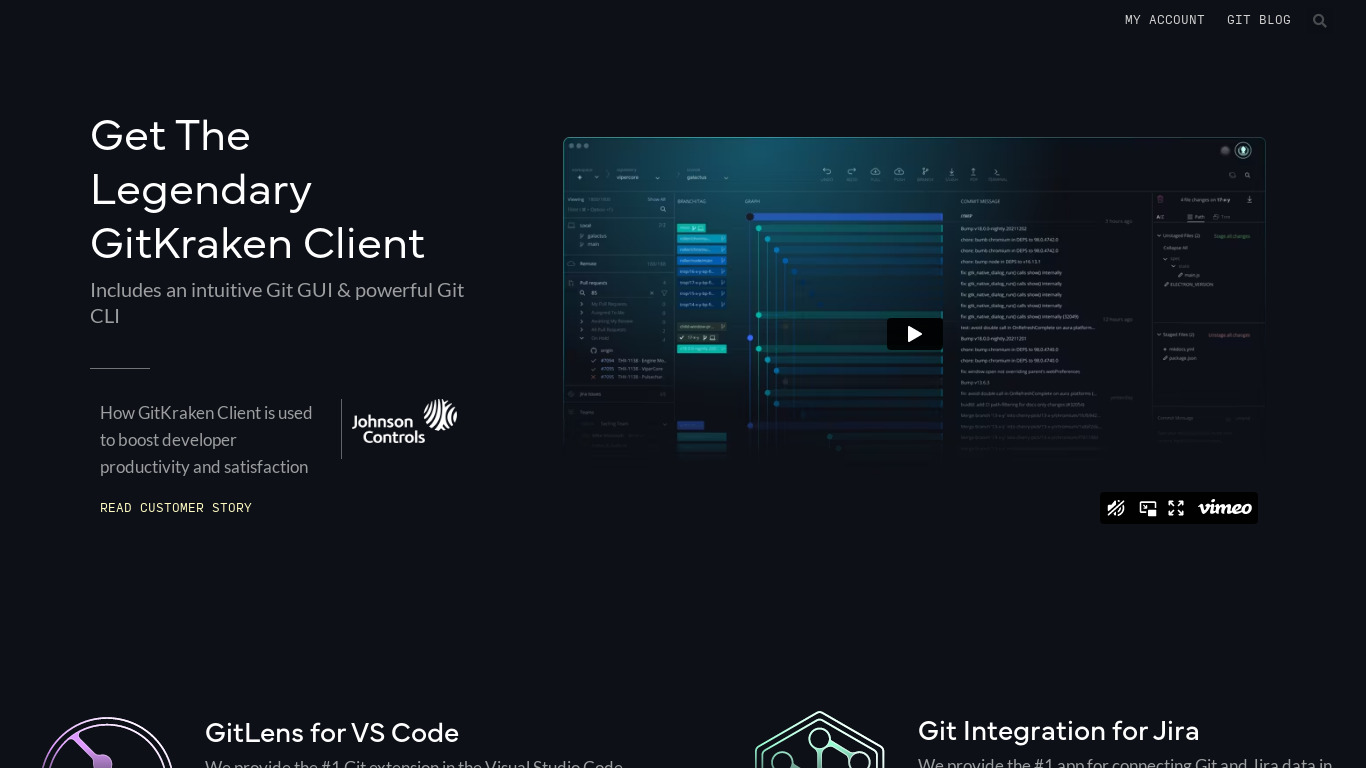
GitKraken is a cross-platform Git client designed for users needing code collaboration tools on Windows, macOS, and Linux, along with web support. It stands out with a user-friendly, visually appealing interface and robust Git integration that supports various commands and workflows. Key capabilities include built-in merge conflict resolution and integrations with popular issue trackers such as Jira, GitHub Issues, and GitLab Issues.
Specific pricing details are not provided in the source facts, so check their pricing page directly for current plans. Users comparing options will find known alternatives like GitHub, Tower, SourceTree, SmartGit, and TortoiseGit.
Features
User-Friendly Interface
GitKraken provides an intuitive and visually appealing interface which makes it easy for users to navigate and manage repositories.
Robust Git Integration
GitKraken offers seamless integration with Git, supporting various Git commands and workflows with ease.
Cross-Platform Support
GitKraken is available on multiple platforms including Windows, macOS, and Linux, providing consistency for users working in different environments.
Built-in Merge Conflict Resolution
The tool includes advanced features for resolving merge conflicts, simplifying a commonly complex part of version control.
Integration with Issue Trackers
GitKraken works well with popular issue trackers like Jira, GitHub Issues, and GitLab Issues, enhancing project management capabilities.
Screenshots
GitKraken vs. its alternatives
| GitKraken |  GitHub GitHub |  Tower Tower |  SourceTree SourceTree |  SmartGit SmartGit | |
|---|---|---|---|---|---|
| Pricing | — | Open source | — | — | — |
| Platforms | — | ||||
| Listed features | 5 | 6 | — | 5 | — |
Frequently asked questions
How much does GitKraken cost?
Exact pricing details are not listed in the provided facts; you should check their pricing page for current plans.
What is GitKraken used for?
GitKraken is used as a code collaboration tool and Git client to navigate and manage repositories, handle Git commands, and resolve merge conflicts.
What platforms is GitKraken available on?
GitKraken offers cross-platform support on Windows, macOS, and Linux, and is also listed with Web platform availability.
Does GitKraken include features for resolving merge conflicts?
Yes, GitKraken includes a built-in merge conflict resolution feature designed to simplify this complex part of version control.
What issue trackers does GitKraken integrate with?
GitKraken integrates with popular issue trackers including Jira, GitHub Issues, and GitLab Issues to enhance project management.
What are the best alternatives to GitKraken?
Top alternatives to GitKraken include GitHub, Tower, SourceTree, SmartGit, and TortoiseGit, which you might prefer depending on your preferred version control interface and workflow preferences.
Alternatives to GitKraken
Read the full comparison →GitHub
Originally founded as a project to simplify sharing code, GitHub has grown into an application used by over a million people to store over two million code repositories, making GitHub the largest code host in the world.
SourceTree
Mac and Windows client for Mercurial and Git.


GitHub Desktop
GitHub Desktop is a seamless way to contribute to projects on GitHub and GitHub Enterprise.