
Tool profile
Mumble
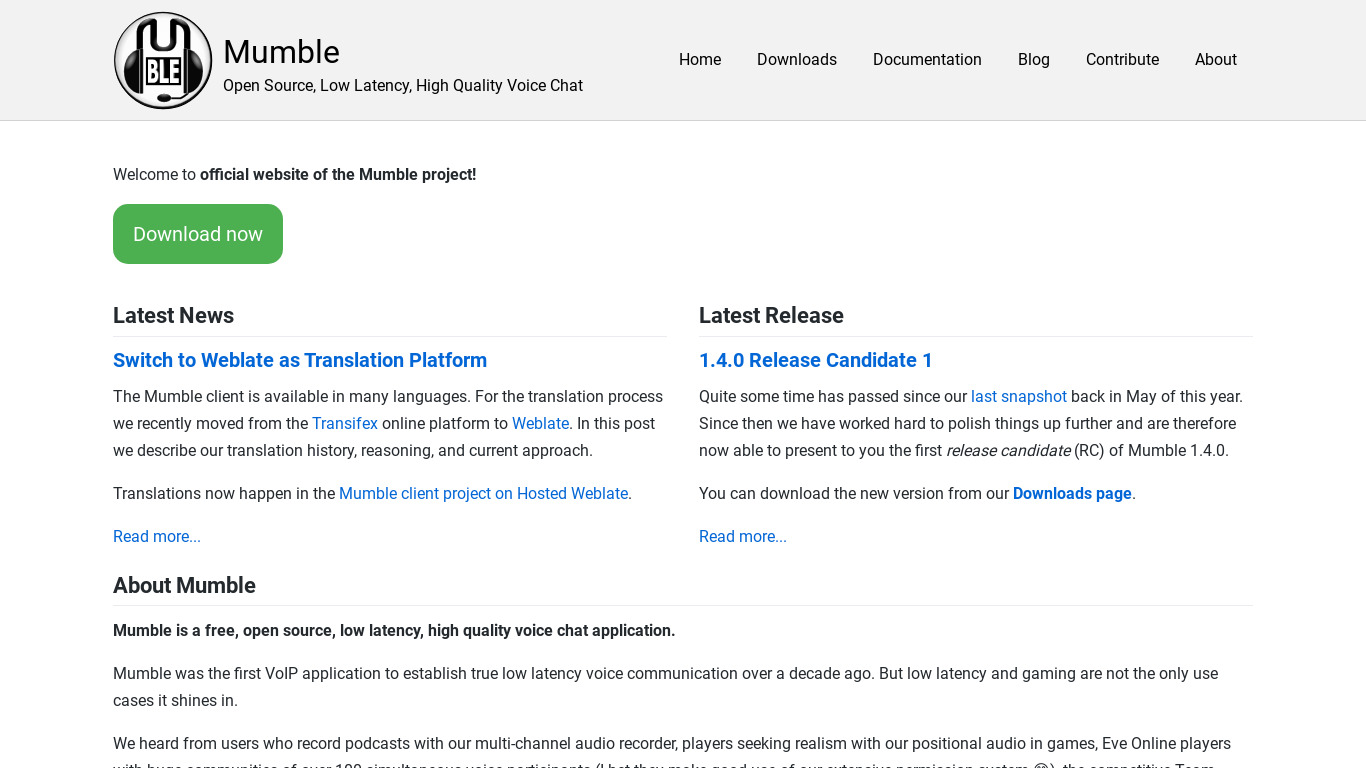
Mumble is an open source, low-latency, high quality voice chat software primarily intended for use...
What is Mumble?
Mumble is an open-source communication software well-suited for users seeking low-latency and high-quality voice chat. It stands out with features like positional audio for gaming, built-in encryption, and custom server support that gives users full control over their server settings, security, and privacy. Being cross-platform, it is available on Windows, macOS, and Linux.
Because exact pricing is not listed beyond its open-source tag, check their platform for current details. Users looking for alternatives will find options such as Slack, Discord, Element.io, Tox, and Signal depending on their specific communication needs.
Features
Low Latency
Mumble is designed for low-latency communication, making it ideal for real-time applications like gaming and voice chat during collaborative work.
High Audio Quality
It offers high-quality audio with minimal loss, supporting clear and crisp voice communication.
Open Source
Being open-source, Mumble allows for transparency and community-driven development, ensuring continuous improvement and security updates.
Positional Audio
Mumble supports positional audio, which enhances the gaming experience by providing directional sound based on the in-game location.
Cross-Platform
Mumble is available on multiple operating systems, including Windows, macOS, and Linux, facilitating cross-platform communication.
Encryption
The software comes with built-in encryption for voice data, ensuring secure communication between users.
Custom Server Support
Users can host their own Mumble servers, giving them control over server settings, security, and privacy.
Screenshots
Mumble vs. its alternatives
| Mumble |  Slack Slack |  Discord Discord |  Element.io Element.io |  Tox Tox | |
|---|---|---|---|---|---|
| Pricing | Open source | — | Open source | Open source, Free | Open source |
| Platforms | — | ||||
| Listed features | 7 | 6 | 8 | 6 | 5 |
Frequently asked questions
How much does Mumble cost?
Mumble is tagged as open source, but exact pricing details are not listed in the facts; check their official platform for current plans.
What is Mumble used for?
Mumble is primarily intended for use as low-latency, high-quality voice chat software, making it ideal for real-time applications like gaming and collaborative work.
What operating systems is Mumble available on?
Mumble is cross-platform and available on multiple operating systems including Windows, macOS, and Linux, plus Web.
Does Mumble support positional audio?
Yes, Mumble supports positional audio, which enhances the gaming experience by providing directional sound based on the in-game location.
Can I host my own Mumble server?
Yes, Mumble features custom server support that lets users host their own servers, giving them control over security, privacy, and server settings.
What are the best alternatives to Mumble?
Known alternatives include Slack, Discord, Element.io, Tox, and Signal. You might prefer Discord for general gaming communities or Slack for team collaboration.
Is Mumble secure?
Yes, Mumble comes with built-in encryption for voice data to ensure secure communication between users.
Alternatives to Mumble
Read the full comparison →Slack
A messaging app for teams who see through the Earth!
Discord
Step up your game with a modern voice & text chat app. Crystal clear voice, multiple server and channel support, mobile apps, and more.
Element.io
Secure messaging app with strong end-to-end encryption, advanced group chat privacy settings, secure video calls for teams, encrypted communication using Matrix open network. Riot.im is now Element.
Tox
Send messages, files, create groups and make Tox to Tox audio and video calls. Securely.

Signal
Fast, simple & secure messaging. Privacy that fits in your pocket.

Telegram
Telegram is a messaging app with a focus on speed and security. It’s superfast, simple and free.

Wire
Private & Secure Messenger

WhatsApp Messenger: More than 1 billion people in over 180 countries use WhatsApp to stay in touch with friends and family, anytime and anywhere.