
Tool profile
Motion
Profile in progressAll-in-one time management tool in Firefox
What is Motion?
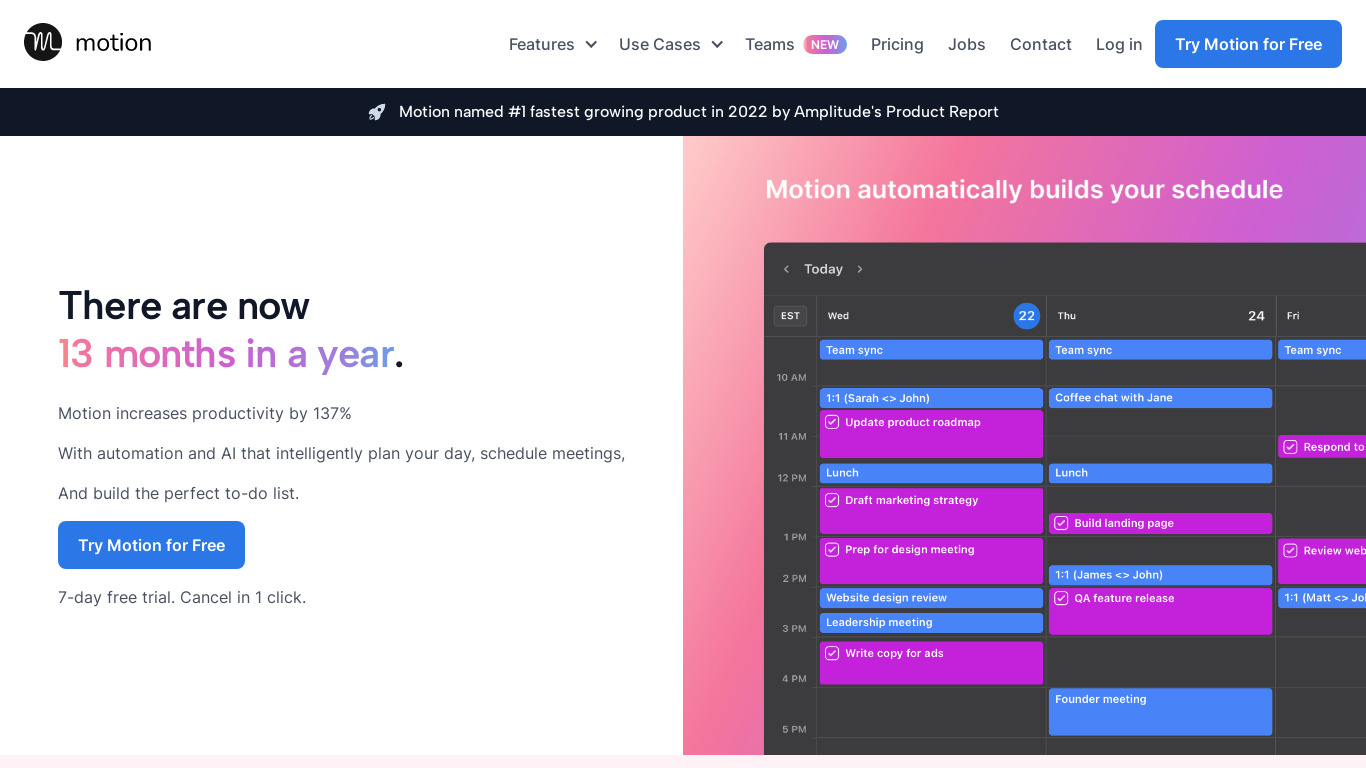
Motion is a time management tool designed for users who want to combine task management with calendar planning in one interface. It stands out through AI-Powered Scheduling, which can automatically plan and adjust schedules, alongside Focus Time Allocation that intelligently sets aside blocks of uninterrupted focus time. Additional capabilities include Cross-Device Synchronization, Automation via the Motion Project Manager, and Real-time Collaboration.
Because exact pricing is not listed in the facts, check their pricing page for current plans. The platform is available on Web and functions as an all-in-one time management tool in Firefox, integrating with popular tools like Google Calendar, Slack, and Trello.
Features
AI-Powered Scheduling
Motion's AI can automatically plan and adjust your schedule, saving time and enhancing productivity by efficiently organizing tasks and meetings.
Integrated Task and Calendar Management
Combining task management with calendar planning in one interface helps streamline workflows and ensures all important tasks are clearly scheduled.
Cross-Device Synchronization
Motion synchronizes across multiple devices, making it easy to access your schedule and tasks from anywhere, ensuring you're always up to date.
Customization Options
Users can customize their task priorities, working hours, and notification preferences to tailor the app to their specific needs.
Focus Time Allocation
The app intelligently allocates blocks of uninterrupted focus time, helping users work more efficiently and reduce context switching.
Automation
Motion Project Manager automatically schedules tasks and meetings, helping to optimize time management and increasing productivity.
Real-time Collaboration
The platform supports real-time updates and collaboration, ensuring that team members are always on the same page and can respond quickly to changes.
User-Friendly Interface
The interface is designed to be intuitive and easy to use, which reduces the learning curve and allows users to get up and running quickly.
Integration
Motion integrates with popular tools like Google Calendar, Slack, and Trello, making it easier for teams to coordinate across different platforms.
Customizability
The platform offers a high degree of customizability, allowing teams to tailor the software to their specific workflow and requirements.
Screenshots
Frequently asked questions
How much does Motion cost?
Exact pricing details are not listed in the provided facts, so check their pricing page for current plans at https://www.usemotion.com/pricing.
What is Motion used for?
Motion is used as an all-in-one time management tool to combine task management with calendar planning in one interface.
What platforms is Motion available on?
Motion is available on Web and operates as a time management tool in Firefox.
How does AI-Powered Scheduling work in Motion?
Motion's AI can automatically plan and adjust your schedule, saving time and enhancing productivity by efficiently organizing tasks and meetings.
Does Motion integrate with other apps?
Yes, Motion integrates with popular tools like Google Calendar, Slack, and Trello to help teams coordinate across different platforms.
Can I customize my workflow in Motion?
Yes, users can customize task priorities, working hours, and notification preferences to tailor the app to their specific needs and workflow requirements.
What are the best alternatives to Motion?
Since no specific known alternatives are listed in the provided facts, you will want to look for other productivity software that offers integrated task and calendar management.